Is Microsoft 365 Family Worth It in 2026? The Honest Math

- The quick answer: worth it from about 4 people
- What Microsoft 365 Family actually includes
- Microsoft 365 Family vs Personal: the comparison table
- The per-person cost table (1 to 6 users)
- How Microsoft 365 Family sharing works
- When a one-time Office license is smarter
- How our prepaid codes work (no auto-renew)
- Frequently asked questions
Is Microsoft 365 Family worth it? At our prices - €136.99 for a year of Family versus €41.99 for a year of Personal - the honest answer is: clearly yes from four people up, roughly a tie at three, and no for one or two. Four Personal subscriptions would cost €167.96, so a household of four saves €30.97 a year with Family, and a full house of six pays just €22.83 per person. Below four people, the math flips. This guide walks through that math line by line, explains what Family actually includes, how the sharing works, and when you should skip the subscription entirely and buy a one-time Office license instead.
One promise before we start: we sell both plans, so we have no reason to push you toward the expensive one. The numbers below are our real store prices, and where Personal or a one-time license is the better buy, we say so.
The quick answer: worth it from about 4 people
The entire microsoft 365 family vs personal decision comes down to one comparison: the price of one Family subscription against the price of buying a separate Personal subscription for each person who needs Office.
At two people, two Personal subscriptions cost €83.98 - comfortably below Family's €136.99. At three people, three Personal plans cost €125.97, still €11.02 cheaper than Family. It is only at four people that the line crosses: four Personal subscriptions would run €167.96, so Family saves you €30.97 a year. From there the gap widens fast - €72.96 saved at five people and €114.95 at six.
So the honest verdict on the microsoft 365 family price is simple. One or two users: buy Personal (or two of them). Three users: Personal is slightly cheaper on paper, but Family is a defensible buy if you expect a fourth person to join or you want the headroom of six accounts and 6 TB of total storage. Four or more users: Family wins, and it is not close.
Tip: These are per-year prices for prepaid 12-month codes, not recurring charges. Because our codes stack on top of existing subscription time and never auto-renew, you can grab a year whenever it suits you - there is no lock-in either way. Use coupon code KIWI10 at checkout for 10% off, which nudges every number in this article further in your favor.
What Microsoft 365 Family actually includes
Family is not a cut-down "shared" edition. Every one of the up to six members gets the complete package, identical to what a Personal subscriber gets:
Full desktop Office apps on PC & Mac. Word, Excel, PowerPoint, Outlook and the rest of the suite as installable desktop applications - not just the web versions. Each member installs the apps under their own Microsoft account.
1 TB of OneDrive storage per person. Each member gets their own private 1 TB of cloud storage. With six members that is 6 TB in total across the household, and nobody can see anyone else's files. For families that shoot a lot of photos and video, the storage alone can justify the subscription.
Premium mobile features. The advanced editing and formatting features in the Office mobile apps on phones and tablets are unlocked for every member.
Copilot AI features. Since 2025, Microsoft includes consumer Copilot AI features in the Microsoft 365 Personal and Family plans, so subscribers get AI-assisted drafting, rewriting and summarizing inside the apps. This is a subscription-only benefit - one-time Office licenses do not get it.
Ongoing updates. As a subscription, Microsoft 365 always runs the newest version of the apps. There is no "Office 2029" upgrade to buy later; new features simply arrive.
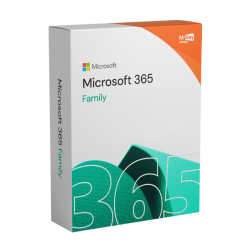
Microsoft 365 Family vs Personal: the comparison table
Feature-for-feature, the two plans are nearly identical for each individual user. The differences are the number of people covered, the total storage, and the price.
| Feature | Microsoft 365 Personal | Microsoft 365 Family |
|---|---|---|
| Price per year (our store) | €41.99 | €136.99 |
| People covered | 1 | Up to 6 |
| Desktop Office apps (PC & Mac) | ✓ Full suite | ✓ Full suite, every member |
| OneDrive storage | 1 TB | 1 TB per person (6 TB total) |
| Premium mobile features | ✓ Yes | ✓ Yes, every member |
| Copilot AI features | ✓ Yes | ✓ Yes, every member |
| Always-updated apps | ✓ Yes | ✓ Yes |
| Cost per person (full house) | €41.99 | €22.83 |
Read that last row again, because it is the whole argument. A fully used Family plan costs €22.83 per person per year - a little over half of what each person would pay on their own Personal plan. The catch is the phrase "fully used": the per-person price only looks that good if the seats are actually filled.
The per-person cost table (1 to 6 users)
Here is the microsoft 365 family price broken down honestly, seat by seat, against the alternative of buying everyone their own Personal subscription at €41.99 each.
| People | Family cost per person | Personal plans total | Family total | Cheaper option |
|---|---|---|---|---|
| 1 | €136.99 | €41.99 | €136.99 | Personal (save €95.00) |
| 2 | €68.50 | €83.98 | €136.99 | Personal (save €53.01) |
| 3 | €45.66 | €125.97 | €136.99 | Personal, barely (save €11.02) |
| 4 | €34.25 | €167.96 | €136.99 | Family (save €30.97) |
| 5 | €27.40 | €209.95 | €136.99 | Family (save €72.96) |
| 6 | €22.83 | €251.94 | €136.99 | Family (save €114.95) |
Three people is the genuinely debatable row. On raw price, three Personal subscriptions beat Family by €11.02 a year. But Family at three people already costs only €45.66 per person, and the moment anyone else in the household wants Office - a partner, a student heading to university, a parent whose laptop needs sorting out - that fourth invite is free and the decision retroactively pays for itself. If your household is three and will stay three, buy three Personal plans. If three might become four, buy Family.
And to be transparent about the incentive here: we make less money when a household of six buys one Family code instead of six Personal codes. The math is the math.
How Microsoft 365 Family sharing works
Microsoft 365 family sharing is simpler than most people expect, and it does not require anyone to share a login.
Step 1: one person becomes the organizer. Whoever redeems the code becomes the subscription owner. They go to setup.office.com, sign in with their Microsoft account, and enter the code. The 12 months of Family are now attached to their account.
Step 2: the organizer invites up to five people. From the Microsoft account sharing page, the organizer sends invites by email or link. Invitees accept with their own Microsoft accounts - existing accounts work fine, and anything already stored in their OneDrive stays where it is.
Step 3: everyone installs and signs in as themselves. Each member downloads the Office apps on their own devices and signs in with their own account. Their documents, mail, settings and 1 TB of storage are theirs alone. The organizer can see who is using a slot and can remove members, but cannot see anyone's files.
Two practical notes. Members do not need to live at the same address - Microsoft describes the plan as being for your family, and invites work by email wherever the person is. And if someone leaves the plan, their account simply drops back to the free tier; their files remain in their OneDrive, subject to the free storage limit.
When a one-time Office license is smarter
Not every household should be on a subscription at all. A one-time Office license costs more upfront than a year of Personal but nothing after that, and for a certain kind of user it is clearly the better deal.
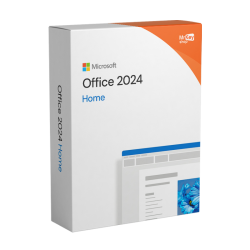
Buy a one-time license if most of this describes you: you mainly need Word, Excel and PowerPoint on one computer; you do not care about 1 TB of cloud storage because your files live locally or in another cloud; you do not need Copilot features; and you are happy running the same Office version for years. Office 2024 Home at €78.99 covers that user well - it costs less than two years of Personal and it never bills you again. If you also need Outlook for work on that machine, Office 2024 Home & Business at €88.99 is the step up.
Stick with a subscription if the opposite is true: several people need the apps, the OneDrive storage matters, or you want the newest features as they ship. For a deeper side-by-side of the one-time versus subscription question, see our full guide to Office 2024 vs 2021 vs Microsoft 365, or browse everything in one place on our Office keys page.
How our prepaid codes work (no auto-renew)
A quick word on what you are actually buying from us, because it differs from subscribing on Microsoft's website in one important way: there is no recurring payment.
Our Microsoft 365 codes are prepaid 12-month subscriptions. You buy the code once, we deliver it by email within seconds, and you redeem it at setup.office.com on the Microsoft account that should own the subscription. From the moment you redeem, you have 12 months of service - and because no payment method is attached, nothing renews, nothing bills, and there is nothing to remember to cancel.
The codes also stack. If your account already has four months of Microsoft 365 left, redeeming a 12-month code gives you sixteen months. That makes a simple strategy possible: keep your subscription running year to year by buying a code when the price is right, rather than when Microsoft's renewal date says so. Every order comes with an invoice and our activation guarantee, and if anything goes sideways during redemption, a human on our support team sorts it out. We are a direct EU retailer selling our own stock - if you want to understand how that differs from marketplace key sites, we compare the models in CDKeys vs G2A vs Kinguin and in our guide to G2A alternatives, and we explain why legitimate keys can be cheap in are cheap Windows keys legit?
Frequently asked questions
Is Microsoft 365 Family worth it for 2 people?
Usually not on price alone. Two Personal subscriptions cost €83.98 at our prices, while Family costs €136.99, so two separate Personal plans are cheaper. Family only starts to look interesting for two people if you expect the household to grow - you can invite up to four more people later at no extra cost, which turns the gap into a head start.
How many people can use Microsoft 365 Family?
Up to six people. One person acts as the organizer, redeems the subscription on their Microsoft account, and invites up to five others. Every member signs in with their own Microsoft account and gets the full desktop Office apps on PC and Mac, their own 1 TB of OneDrive storage, premium mobile features, and the consumer Copilot AI features Microsoft added in 2025.
Does a prepaid Microsoft 365 Family code auto-renew?
No. A prepaid code like the ones we sell adds 12 months of Microsoft 365 Family to your account when you redeem it at setup.office.com. There is no payment method attached and nothing to cancel. If your account already has active subscription time, the 12 months stack on top of your existing end date, so you can buy a code whenever the price suits you.
Can family members see my files with Microsoft 365 Family sharing?
No. Sharing the subscription does not mean sharing data. Each of the six members signs in with their own Microsoft account and gets their own private 1 TB of OneDrive storage. Files, email, and settings stay separate unless someone deliberately shares a file or folder, exactly as they would on any individual account.
Is a one-time Office license better than Microsoft 365 Family?
It can be. Office 2024 Home costs €78.99 once and runs the core apps on one computer with no subscription at all. If you do not need 1 TB of cloud storage per person, ongoing feature updates, Copilot features, or apps for several people, a one-time license is the cheaper path over a few years. Family wins when four or more people actively use the apps and cloud storage.
Written by the KeyKiwi team - we've been in digital software licensing for 18+ years. Every key we sell is sourced from authorized channels and covered by our activation guarantee. Questions? Talk to a human.