Office 2024 vs Office 2021 vs Microsoft 365: Which Should You Buy in 2026?
In the office 2024 vs office 2021 debate, Office 2024 is the better buy for most people in 2026. Both are one-time purchases with the same core apps, but Office 2024 is supported until around October 2029, while Office 2021 reaches end of support on October 13, 2026 - only months away. And if you would rather have cloud storage, AI features and coverage across multiple devices than own a license outright, Microsoft 365 is the third option worth a serious look.
This guide compares all three honestly: exactly which apps each edition includes, where Office 2024 differs from 2021, and what a one-time purchase really costs against a subscription over five years - using our actual KeyKiwi prices, not list prices. By the end you will know which license fits your situation, and which one is money wasted.
Quick verdict by user type
Short on time? Here is the whole article in five lines:
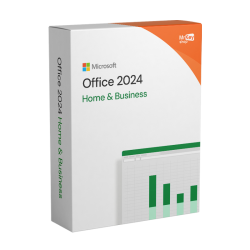
- Most home users: Office 2024 Home & Business (€88.99) - one payment, Outlook included, supported until ~2029.
- Budget home users who don't need Outlook: Office 2024 Home (€78.99) - Word, Excel, PowerPoint & OneNote for the lowest one-time price.
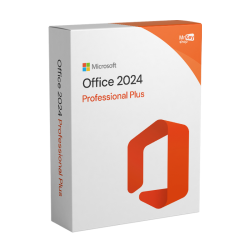
- Power users & businesses that need Access: Office 2024 Professional Plus (€169.99).
- Anyone who needs Publisher: Office 2021 Professional Plus (€109.99) - Publisher was discontinued and does not exist in Office 2024, but be aware 2021 support ends October 13, 2026.
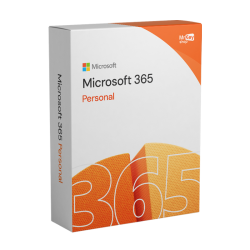
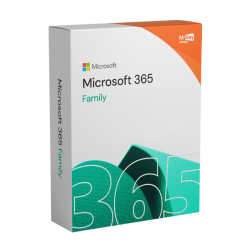
- Cloud, AI & multi-device households: Microsoft 365 Personal (€41.99/yr) or Family (€136.99/yr for up to 6 users) - always-current apps, Copilot AI and 1 TB OneDrive per user.
What's in each edition: the full comparison
All perpetual editions of Office share the same foundation: Word, Excel, PowerPoint and OneNote. The differences sit in the extras - Outlook, Access, Publisher, commercial use rights - and, for Microsoft 365, in everything that comes from the cloud. Here is the complete picture:
| Feature | Office 2021 Pro Plus | Office 2024 Home | Office 2024 Home & Business | Office 2024 Pro Plus | Microsoft 365 Personal / Family |
|---|---|---|---|---|---|
| Word, Excel, PowerPoint, OneNote | ✓ Yes | ✓ Yes | ✓ Yes | ✓ Yes | ✓ Yes, always current |
| Outlook (classic) | ✓ Yes | ✗ No | ✓ Yes | ✓ Yes | ✓ Yes |
| Access | ✓ Yes | ✗ No | ✗ No | ✓ Yes | ✓ Yes (PC only) |
| Publisher | ✓ Yes | ✗ Discontinued | ✗ Discontinued | ✗ Discontinued | ✗ Retired |
| Commercial use | ✓ Yes | ✗ Home use | ✓ Yes | ✓ Yes | ✗ Home use |
| OneDrive cloud storage | ✗ No | ✗ No | ✗ No | ✗ No | ✓ 1 TB per user |
| Copilot / cloud AI features | ✗ No | ✗ No | ✗ No | ✗ No | ✓ Yes (added 2025) |
| Feature updates | ✗ Security only | ✗ Security only | ✗ Security only | ✗ Security only | ✓ Continuous |
| Support ends | October 13, 2026 | ~October 2029 | ~October 2029 | ~October 2029 | Ongoing while subscribed |
| License model | One payment, one PC | One payment, one PC | One payment, one PC | One payment, one PC | Yearly; 1 user (Personal) or up to 6 (Family), multiple devices |
| KeyKiwi price | €109.99 once | €78.99 once | €88.99 once | €169.99 once | €41.99/yr or €136.99/yr |
Two rows deserve a second look. First, Publisher: Microsoft discontinued it, so Office 2024 does not include it in any edition. If your workflow depends on Publisher files, Office 2021 Professional Plus is the last perpetual edition that ships it. Second, Outlook: the cheapest Office 2024 edition (Home) leaves it out, so email-in-a-desktop-app people should step up to Home & Business.
Also worth knowing: Office 2021 Home & Student (€88.99) and Office 2021 Home & Business (€108.99) follow the same edition logic as their 2024 counterparts - the Home-tier edition skips Outlook, the Business tier adds it plus commercial use.
Office 2024 vs Office 2021 in detail
Functionally, the two suites are close relatives. Both are perpetual licenses: you pay once, install on one PC, and the feature set is frozen from day one - updates are security fixes only, no new features, no Copilot, no cloud AI. The real differences come down to four things:
1. The support clock. This is the big one in 2026. Office 2021 reaches end of support on October 13, 2026. It will keep working after that date - perpetual means perpetual - but it stops receiving security updates. Office 2024, released in October 2024, is supported until around October 2029. If you are buying today and plan to keep the suite for years on an internet-connected PC, that three-year gap matters more than any feature difference.
2. The app lineup. Office 2021 Professional Plus includes both Publisher and Access. Office 2024 drops Publisher entirely (discontinued across the board) and reserves Access for the Professional Plus edition. If neither app is in your life, this changes nothing for you.
3. Price. Counterintuitively, the newer suite can be cheaper. Office 2024 Home & Business is €88.99 at KeyKiwi, while Office 2021 Professional Plus is €109.99 - so unless you specifically need Publisher or Access at the 2021 price point, the 2024 edition gives you a longer supported life for less money.
4. Platform requirements. Both install on Windows 10 or 11; Office 2024 also supports recent macOS versions in its consumer editions. Neither installer asks you to choose 32-bit or 64-bit anymore - 64-bit is the default.
Watch out: Office 2021 support ends October 13, 2026. It remains a legitimate buy - especially at €88.99 for Home & Student or if you need Publisher - but go in with open eyes: after that date you are running it without security patches. For a machine that lives online, Office 2024 is the safer long-term pick.
Is Office 2024 worth it, then? If you are choosing between the two perpetual suites in 2026: yes, for almost everyone. You get roughly triple the remaining support window, current platform compatibility, and in the Home & Business edition a lower price than 2021 Pro Plus. Choose 2021 only for Publisher, for Access at a lower price than 2024 Pro Plus, or for a PC that stays offline anyway.
One-time purchase vs Microsoft 365: the real 5-year cost
The office one time purchase vs subscription question is really two questions: what does each path cost, and what do you actually get for the difference? Let's do the math with real KeyKiwi prices over a five-year horizon - roughly the supported life of Office 2024.
| Option | Year 1 | Years 2-5 | 5-year total | Covers |
|---|---|---|---|---|
| Office 2024 Home & Business | €88.99 | €0 | €88.99 | 1 PC, 1 user |
| Office 2024 Professional Plus | €169.99 | €0 | €169.99 | 1 PC, 1 user |
| Microsoft 365 Personal | €41.99 | €41.99 × 4 | €209.95 | 1 user, multiple devices, 1 TB OneDrive |
| Microsoft 365 Family | €136.99 | €136.99 × 4 | €684.95 | Up to 6 users, each with 1 TB OneDrive |
The honest reading: for one person on one PC, the perpetual license wins on raw cost, and it isn't close. Office 2024 Home & Business at €88.99 once versus Microsoft 365 Personal at €209.95 over five years is a saving of about €121 - and the subscription still costs money in year six while the perpetual license keeps running.
But the subscription isn't buying the same thing. Over those five years, Microsoft 365 Personal also delivers 1 TB of OneDrive storage, premium features in the web and mobile apps, every new feature Microsoft ships, and the Copilot AI features that came to consumer plans in 2025. None of that exists in any perpetual edition at any price. If you would pay for cloud storage separately anyway, the effective gap shrinks fast.
The family case flips the logic entirely. Microsoft 365 Family at €136.99 per year covers up to six users - that works out to about €22.83 per person per year, each with their own 1 TB of OneDrive. Kitting out six people with individual perpetual licenses means six separate purchases, one PC each, no cloud, no AI. For households with three or more active users, Family is usually the rational buy despite the bigger headline number.
Tip: Our Microsoft 365 codes are prepaid 12-month subscriptions redeemed at setup.office.com on your own Microsoft account. The time stacks on top of whatever you already have, and there is no auto-renew - so you can buy a year at today's price without handing Microsoft a payment card.
Who should pick which
Students & light home users. You write essays, build the odd spreadsheet, and email happens in a browser. Office 2024 Home at €78.99 covers Word, Excel, PowerPoint and OneNote for one payment. If your budget is tighter still and you can live with the October 2026 support cut-off, Office 2021 Home & Student at €88.99 is the classic pick - though at these prices, 2024 Home is the smarter buy.
Home users who live in Outlook. Office 2024 Home & Business at €88.99 adds classic Outlook and commercial use rights for €10 more than Home. That is the best value-per-euro in the entire lineup and our default recommendation for most buyers.
Small businesses & power users. Need Access databases? Office 2024 Professional Plus (€169.99) is the current flagship. Need Publisher too? Only Office 2021 Professional Plus (€109.99) has it - just plan around the 2026 support end.
Multi-device people & families. If you work across a desktop, a laptop and a tablet, or you are licensing a whole household, Microsoft 365 Personal (€41.99/yr) or Family (€136.99/yr, up to 6 users) is the only option that follows you across devices, keeps every app current, and bundles 1 TB of OneDrive per person plus Copilot AI.
Offline or single-purpose machines. A PC that rarely touches the internet doesn't care about support dates. Grab whichever perpetual edition has the apps you need at the best price - this is where Office 2021 deals shine.
Whichever way you go, buy the key from a source you can verify. Every key we sell is genuine stock from authorized EU channels, arrives by email in seconds, comes with an invoice, and is covered by our activation guarantee - if it doesn't activate, we fix it or refund you. Sceptical about key shops in general? Fair. Read our honest breakdown: Are cheap software keys legit?
Decided on a perpetual suite? Installation takes about 15 minutes - our step-by-step guide walks you through it: How to download, install & activate Office 2021 with a product key (the process for Office 2024 is identical). And if you are refreshing the whole machine, see Windows 11 Home vs Pro before you buy the OS too.
Frequently asked questions
Is Office 2024 worth it over Office 2021?
For most buyers in 2026, yes. Office 2024 costs a little less than Office 2021 Professional Plus in some editions and is supported until around October 2029, while Office 2021 support ends on October 13, 2026. The only strong reason to pick 2021 today is if you specifically need Microsoft Publisher, which was discontinued and is not included in Office 2024.
Can I still buy and use Office 2021 in 2026?
Yes. Office 2021 is a perpetual license, so it keeps working after its support end date of October 13, 2026. After that date it no longer receives security updates from Microsoft, which is fine for offline or low-risk use but worth weighing if the PC is online daily. For a longer support window, choose Office 2024 instead.
Does Office 2024 include Outlook?
It depends on the edition. Office 2024 Home includes Word, Excel, PowerPoint and OneNote but not Outlook. Office 2024 Home and Business adds classic Outlook plus commercial use rights, and Office 2024 Professional Plus includes Outlook and Access as well.
Can I install Office 2024 or Office 2021 on more than one computer?
No. One perpetual license covers one computer unless the product page states otherwise. If you need Office on several devices at once, Microsoft 365 is the better fit: Personal covers one user across their devices and Family covers up to six users, each with their own 1 TB of OneDrive storage.
Does a Microsoft 365 key from KeyKiwi auto-renew?
No. Our Microsoft 365 codes are prepaid 12-month subscriptions. You redeem the code at setup.office.com on your own Microsoft account, the time stacks on top of any existing subscription time, and nothing auto-renews or touches your payment card. When the year runs out, you simply redeem another code.
Written by the KeyKiwi team - we've been in digital software licensing for 18+ years. Every key we sell is sourced from authorized channels and covered by our activation guarantee. Questions? Talk to a human.