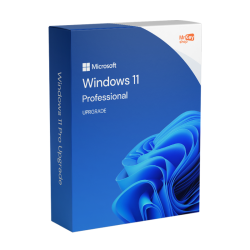
Upgrade to Windows 11 Professional Activation Key
Upgrade to Windows 11 Professional - Microsoft License - genuine key, instant email delivery
- ⚡ Key delivered to your email in seconds
- 🛡️ Genuine license, verified before delivery
- ↩️ Activation guarantee - works or your money back
- 💬 Free human help with installation
🔒 Secure checkout · instant digital delivery · no account needed
About this Upgrade to Windows 11 Professional activation key
Looking for a genuine Upgrade to Windows 11 Professional activation key without the retail markup? You're in the right place. Upgrade to Windows 11 Professional - Microsoft License is a genuine digital license that activates directly with Microsoft's servers. It suits new PC builds, upgrades from an older edition and clean reinstalls alike - one key, permanently tied to your device once activated.
This license is made for one job: moving an existing machine up to Windows 11 Professional - whether you are on Windows 11 Home and need Pro features, or on an aging Windows 10 install and want a clean jump forward. Enter the key under Settings → System → Activation → Change product key and Windows switches edition in place, keeping your files and apps. Windows 10 reached end of support in October 2025, so upgrading is now the security-sensible move - see your options after Windows 10 end of support.
The license is a one-time purchase: no subscription, no renewal fees. After checkout, your key arrives by email together with the official download link and a step-by-step guide, so even if you've never installed an operating system before you'll be up and running quickly. Updates come straight from Microsoft, exactly as with any retail copy.
Your Upgrade to Windows 11 Professional key is delivered instantly by email for €58.99 - €91.00 less than the typical retail price, backed by our activation guarantee: if the key doesn't activate, we fix it or refund you in full.
What you receive by email
- Your license key / activation code
- Official download link for the software
- Step-by-step activation guide
- Your invoice
How to activate your Upgrade to Windows 11 Professional key
- 1Check your inbox - your product key and the official download link arrive within seconds of ordering.
- 2Download the official installation media (or use the built-in activation if the system is already installed).
- 3Open Settings → System → Activation.
- 4Click "Change product key" and enter the key from your email.
- 5Windows verifies the key with Microsoft and activates - you're done.
Upgrade to Windows 11 Professional - requirements & license details
| Processor | 1 GHz or faster, 2+ cores, 64-bit compatible CPU |
|---|---|
| Memory | 4 GB RAM minimum |
| Storage | 64 GB or larger |
| Firmware | UEFI with Secure Boot, TPM 2.0 required |
| License type | Genuine digital license - one PC, perpetual |
| Delivery | Product key + official ISO link by email, in seconds |
Upgrade to Windows 11 Professional activation key - FAQ
Is this a genuine license?
Yes. Every key is sourced from authorized channels and verified before delivery. It activates directly with Microsoft's own servers - that verification is impossible to fake.
Is it a one-time payment?
Yes. You pay once and the license is yours. There is no subscription and nothing to renew.
Can I reinstall later with the same key?
Yes, the license stays tied to your device. After a reinstall on the same machine it will reactivate.
What if the key doesn't activate?
Contact us and we fix it or refund you in full - that's our activation guarantee, no forms or fine print.
More questions? See the full FAQ or contact us - a real person answers every day.
Customer reviews
No written reviews for this product yet - be the first to share your experience.
Write a review
You may also like
More Windows Keys
Browse the full range of windows keys or see all 53 products with today's discounts.