Windows 10 End of Support: Your Options in 2026 (and the Cheapest Way Out)
Windows 10 end of support arrived on October 14, 2025 - and here's what it means in one line: your PC still works, but it no longer receives free security updates, feature updates or standard Microsoft support. In 2026 you have three realistic options. Enroll in Extended Security Updates (ESU) to stay patched until October 13, 2026, upgrade this PC to Windows 11 if it qualifies, or buy new hardware. For most people with a compatible machine, the cheapest way out is a genuine Windows 11 key - a fraction of the cost of a new PC.
This guide walks through each path with the honest trade-offs: what ESU actually covers (less than you'd think), how to check whether your PC can take Windows 11, and exactly how the upgrade works with a key from KeyKiwi. No scare tactics - just the facts and the price tags.
What actually happened in October 2025
End of support is a scheduled event, not a kill switch. On October 14, 2025, Microsoft stopped shipping three things for Windows 10: free monthly security updates, feature updates, and standard technical support. Nothing was uninstalled and nothing stopped booting. If you're reading this on a Windows 10 machine right now, it feels exactly like it did in September 2025.
What changed is invisible and cumulative. Security researchers and criminals keep finding new vulnerabilities in Windows every month - that didn't stop just because the patches did. On a supported system, Microsoft fixes those holes on Patch Tuesday. On an unsupported Windows 10 machine without ESU, each newly discovered hole stays open permanently. The system doesn't get worse; the world around it does.
Over time, the ecosystem drifts away too. App developers, browser makers and hardware vendors gradually drop testing on unsupported Windows versions, so compatibility slowly erodes. None of this happens overnight, which is exactly why the risk is easy to underestimate.
How risky is staying on Windows 10 now?
Honestly: it depends on the machine and the timeline. A Windows 10 PC enrolled in ESU is still receiving security patches today and remains reasonably safe through October 13, 2026. A Windows 10 PC without ESU has now gone months without security updates, and every month widens the gap.
The risk isn't theoretical. Once a vulnerability is patched on Windows 11 but not on unpatched Windows 10, attackers can reverse-engineer the fix to learn exactly where the hole is - and unsupported systems become the easy targets. Machines that do online banking, store personal documents or handle email are the ones to worry about; an offline PC running a CNC machine in a workshop is a different conversation.
Good antivirus software helps and is worth having either way - see our comparison of Norton vs Bitdefender vs Kaspersky - but it can't fully compensate for an unpatched operating system. Antivirus catches malicious files and behavior; OS patches close the doors malware walks through. You want both, and right now Windows 10 without ESU only gives you one.
Tip: Not sure if your PC is getting updates? Open Settings, go to Update & Security, and check Windows Update. If the last successful security update is from before October 2025 and you never enrolled in ESU, you're running unprotected.
Extended Security Updates (ESU) explained
ESU is Microsoft's official bridge for people who can't move yet. It extends security updates - and only security updates - for one extra year, until October 13, 2026. For the first time, Microsoft opened ESU to consumers, and depending on where you live it may cost you nothing.
| ESU route | Cost | Condition |
|---|---|---|
| Windows Backup sync | ✓ Free | Sync your PC settings to your Microsoft account via Windows Backup |
| Microsoft Rewards | ✓ Free | Redeem 1,000 Microsoft Rewards points |
| EEA / EU residents | ✓ Free | No backup or points required - free by default in the EEA |
| One-time purchase | ~$30 USD | One-time payment, covers the same single year |
| Enterprise ESU | Paid, rising yearly | Businesses only, renewable for up to 3 years |
Now the fine print, because it matters. ESU delivers security patches only. There are no new features, no bug fixes beyond security issues, and no technical support. If something breaks in Windows 10 that isn't a security hole, it stays broken. And every consumer route ends on the same date: October 13, 2026. There is no consumer extension beyond that.
Treat ESU as what it is - a bridge, not a destination. It's genuinely useful if you're waiting out a hardware purchase, saving up, or nursing one incompatible PC through its final year. It is not a way to keep Windows 10 forever, and with the deadline now less than fifteen months away, the bridge is more than half crossed.
Can your PC run Windows 11?
Before you spend anything, find out which options are even on the table. Windows 11 has firmer hardware requirements than any Windows release before it. Your PC needs:
- TPM 2.0 - a security chip (or firmware module) present in most PCs made after roughly 2017-2018; often just needs enabling in the BIOS.
- Secure Boot - UEFI firmware with Secure Boot capability.
- A supported CPU - broadly, 8th-gen Intel Core or AMD Ryzen 2000 and newer.
- 4 GB RAM minimum - though 8 GB is a realistic floor for comfortable use.
The fastest way to check is Microsoft's free PC Health Check app: run it, click the check button, and it tells you in seconds whether this PC qualifies and, if not, exactly which requirement fails. A surprising number of "incompatible" machines just have TPM or Secure Boot switched off in the BIOS - worth checking before you write your PC off.
One licensing point people constantly get wrong: passing the hardware check is not the same as being licensed. The upgrade to Windows 11 is free if the PC meets requirements and already has an activated Windows 10 license, which carries over. A fresh install on a new or never-activated machine needs a Windows 11 key of its own.
Watch out: Registry bypasses that skip the TPM 2.0 and CPU checks do exist and are widely documented. They work on many machines, but Microsoft doesn't support installs done this way - updates aren't guaranteed to keep arriving, and you accept the stability risk yourself. Advanced users only, never on a PC you depend on.
Your three paths compared
Here's the whole decision on one table. Costs assume a single home PC.
| Path | Cost | Effort | Lifespan |
|---|---|---|---|
| Stay on Win10 with ESU | Free to ~$30 one-time | ✓ Minimal - enroll and keep updating | ✗ Ends October 13, 2026 |
| Upgrade this PC to Windows 11 | Free with a carried-over license, or €49.99-€58.99 for a key | An afternoon - check, back up, upgrade | ✓ Years of full support |
| Buy a new PC | Several hundred euros minimum | Migration of files, apps and settings | ✓ Longest - new hardware and OS |
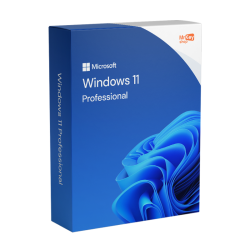
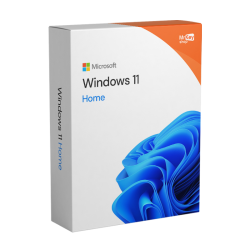
The middle row is the sweet spot for most people, and the math is simple. If your PC passes the health check and Windows 10 was activated, upgrading costs nothing - do it this weekend. If you need a license - a fresh build, a never-activated machine, or you want Pro features like BitLocker and Remote Desktop - a genuine key costs €49.99 for Home or €58.99 for Pro. That's a fraction of the cheapest new PC worth owning, and it turns hardware you already own into a fully supported machine for years.
Not sure whether Home covers you or Pro is worth the extra nine euros? We've written a full breakdown in Windows 11 Home vs Pro - short version: Home is fine for most single-user home PCs, Pro earns its keep the moment you want BitLocker, Remote Desktop hosting or Hyper-V.
Upgrading with a KeyKiwi key, step by step
Here's the whole process, start to finish. Budget an afternoon, most of which is waiting for progress bars.
- Run PC Health Check. Confirm the machine qualifies for Windows 11. If TPM or Secure Boot fails, check your BIOS settings before giving up - they're often just disabled.
- Back up your files. In-place upgrades preserve your data, but you never upgrade an operating system without a backup. An external drive or cloud sync is fine.
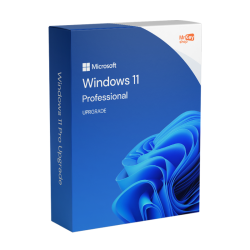
- Buy your key. Order Windows 11 Home or Windows 11 Pro from KeyKiwi - the key lands in your email inbox within seconds. Already activated on Windows 10 and just moving up an edition? The Upgrade to Windows 11 Pro license is the one you want.
- Run the upgrade. Use Windows Update if the offer appears, or download the Windows 11 Installation Assistant from Microsoft. Choose "Keep personal files and apps" for an in-place upgrade.
- Activate. Once Windows 11 is running, go to Settings, then System, then Activation, click "Change product key" and enter your key. Activation completes online in under a minute - our guide on how to activate Windows 11 covers every step and the rare error codes.
- Update everything. Run Windows Update until nothing is left, then let your drivers and apps update. Done - you're on a fully supported OS.
Every key we sell is covered by our activation guarantee: if a key won't activate, our support team fixes it or refunds you. And if one of your machines genuinely can't move - it failed the check and the BIOS has nothing to enable - it can stay safely on Windows 10 with ESU through October 2026, and we still stock Windows 10 Pro keys for boxes that are staying put.
A final word on the third path: sometimes a new PC really is the right answer. If your machine fails the hardware check and it's slow enough that you already resent it, don't spend anything keeping it alive - put the ESU year to work saving for its replacement. And for the technically adventurous with an incompatible but healthy PC, desktop Linux is a legitimate free option; it's a bigger change than most home users want, but it keeps old hardware patched and useful indefinitely.
Frequently asked questions
Will Windows 10 stop working now that support has ended?
No. Your PC keeps booting and your apps keep running. What ended on October 14, 2025 is the flow of free security updates, feature updates and standard Microsoft support. The system works, but every new vulnerability discovered from then on stays unpatched unless you are enrolled in Extended Security Updates.
How much does Windows 10 ESU cost?
For consumers it can be free: you qualify at no cost by syncing your PC settings with Windows Backup or by redeeming 1,000 Microsoft Rewards points, and residents of the EEA get it free without either condition. Otherwise it is a one-time payment of roughly 30 US dollars. All consumer routes end on October 13, 2026.
Is the upgrade from Windows 10 to Windows 11 free?
The upgrade itself is free if your PC meets the hardware requirements, and an activated Windows 10 license carries over to Windows 11. You only need to buy a key if your machine was never properly activated, if you are doing a fresh install on a new build, or if you want to move from Home to Pro.
Can I install Windows 11 on unsupported hardware?
Registry bypasses exist that skip the TPM 2.0 and CPU checks, and they do work on many machines. However, Microsoft does not support installs done this way, updates are not guaranteed to keep arriving, and you accept stability risks. It is a route for advanced users who understand the trade-off, not a recommended path for an everyday PC.
Do Windows 11 keys from KeyKiwi work for upgrading a Windows 10 PC?
Yes. A genuine Windows 11 Home or Pro key from KeyKiwi activates a clean install or an upgrade on any compatible PC. The key arrives by email within seconds of purchase and is covered by our activation guarantee. We also still sell Windows 10 Pro keys for machines that are staying put on Windows 10.
Written by the KeyKiwi team - we've been in digital software licensing for 18+ years. Every key we sell is sourced from authorized channels and covered by our activation guarantee. Questions? Talk to a human.