Norton 360 vs Bitdefender vs Kaspersky: Which Antivirus Wins in 2026?
If you're weighing Norton vs Bitdefender vs Kaspersky in 2026, here's the short answer: all three deliver top-tier protection, so the real decision comes down to extras, system impact and where you live. Norton 360 wins if you want the most complete bundle - unlimited VPN, cloud backup and identity monitoring in one subscription. Bitdefender wins if you want elite protection with the lightest touch on your PC. Kaspersky wins on pure value for money - unless you're in the US, where it's no longer sold to consumers.
Below we compare the three suites feature by feature, explain the Kaspersky ban situation factually, and show why buying a prepaid activation key usually beats a retail auto-renewing subscription. No invented benchmark numbers, no affiliate spin - just the differences that actually matter when you choose the best antivirus in 2026.
Quick verdict by need
Short on time? Match yourself to a row:
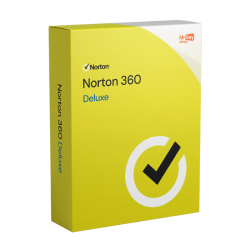
- You want everything in one box: Norton 360 Deluxe. Five devices, unlimited-data VPN, 50 GB cloud backup, password manager, dark web monitoring and parental controls. No other suite here bundles that much.
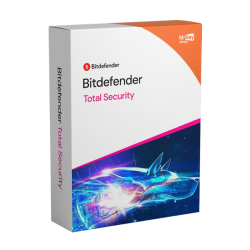
- You want maximum protection, minimum footprint: Bitdefender Total Security. Excellent protection with famously light system impact across Windows, macOS, Android and iOS.
- You want strong protection at the lowest price: Kaspersky Standard at 17.99 euros. Light, fast, and consistently among the top lab performers. EU and international buyers only - see the ban section below.
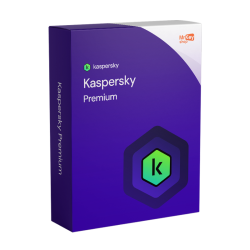
- You want a premium suite without Norton's US ownership or Bitdefender's VPN cap: Kaspersky Premium adds unlimited VPN, a password manager and identity protection for 35.99 euros.
Protection quality: what the labs agree on
Let's settle the most important question first. Independent testing labs such as AV-TEST and AV-Comparatives run all three vendors through the same malware gauntlets every few months, and the pattern has been consistent for years: Norton, Bitdefender and Kaspersky all score at or near the top for protection. Whichever you install, you're getting one of the best malware engines money can buy.
That's worth pausing on, because it changes how you should shop. When protection quality is effectively a three-way tie, paying more doesn't buy you a safer engine - it buys you features around the engine. The sensible way to choose is to ignore the marketing about detection rates and compare what else each suite gives you for the price.
It also means the popular question "which antivirus catches more viruses?" has a boring answer: in practice, any of these three. The interesting questions are how much of your system they occupy, what the subscription really costs after year one, and which extras you'd otherwise pay for separately - a VPN alone often costs more per year than an entire security suite.
Tip: Whichever suite you choose, uninstall any competing antivirus first. Two real-time scanners fight over the same files, and the result is a slower PC with worse protection, not better.
Feature comparison table
Here's how the three flagship consumer suites stack up on the features people actually use. Prices are KeyKiwi prepaid activation-key prices, not vendor renewal rates.
| Feature | Norton 360 Deluxe | Bitdefender Total Security | Kaspersky Premium |
|---|---|---|---|
| Devices covered | 5 | 5 | Multi-device |
| VPN data | ✓ Unlimited | ✗ 200 MB/day cap | ✓ Unlimited |
| Cloud backup | ✓ 50 GB | ✗ None | ✗ None |
| Password manager | ✓ Yes | ✓ Yes | ✓ Yes |
| Parental controls | ✓ Yes | ✓ Yes | ✓ Yes |
| Identity / dark web monitoring | ✓ Dark web monitoring | ✗ Limited | ✓ Identity protection |
| Platforms | PC, Mac, Android, iOS | PC, Mac, Android, iOS | PC, Mac, Android, iOS |
| Available in the US | ✓ Yes | ✓ Yes | ✗ Banned since Sept 2024 |
| KeyKiwi price | €24.99 | €69.99 | €35.99 |
Three things jump out of that table. First, Bitdefender's VPN cap: 200 MB per day is enough to secure some banking on hotel Wi-Fi, but nowhere near enough for streaming or heavy browsing - unlimited VPN costs extra on top of the suite. Second, Norton is the only one with cloud backup, and 50 GB comfortably covers documents and photos - a genuinely useful ransomware safety net. Third, at KeyKiwi's prepaid prices, Norton 360 Deluxe undercuts both rivals while carrying the longest feature list.
If you don't need the full Norton bundle, the cheaper tiers are worth a look too. Norton 360 Standard keeps the VPN and 10 GB of backup but covers fewer devices - fine for a single laptop plus phone. Kaspersky Standard drops the VPN and identity extras entirely and just does what antivirus did ten years ago, extremely well, for 17.99 euros.
System performance impact
Honest answer up front: on any reasonably modern PC, you will not notice a meaningful day-to-day difference between these three. All of them idle quietly in the background and schedule heavy scans for moments when you're not working. The days of antivirus visibly dragging a healthy machine to a crawl are largely over.
There are still real differences at the margins. Bitdefender built its reputation on pairing excellent protection with a light system footprint, and it remains the default recommendation for older or lower-spec hardware. Kaspersky is similarly lean - Kaspersky Standard in particular is one of the lightest ways to get top-lab-tier protection. Norton installs the most components, which is the flip side of bundling VPN, backup and identity tools into one app; on an aging dual-core laptop with a spinning hard drive, that extra weight is more likely to be felt.
The practical rule: gaming rig or recent laptop, pick on features. A 7-year-old family PC, lean toward Bitdefender or Kaspersky - or better, pair a light antivirus with a Windows upgrade. If that old machine is still on Windows 10, security software is only half the story now that Windows 10 has reached end of support - an unpatched operating system undermines even the best antivirus.
The Kaspersky US ban, explained
This is the elephant in the comparison, so here are the plain facts. In 2024 the US government banned the sale of Kaspersky software to US consumers, effective September 2024, citing national-security concerns about the company's Russian origins. The ban covers new sales and software updates for US customers - it is a legal and political decision, not the result of any independent lab finding a problem with the software's protection quality.
Outside the US, nothing changed. Kaspersky remains legal, widely used and fully supported in the EU and most other regions, and it continues to appear in independent lab testing alongside Norton and Bitdefender with the same consistently strong results it has posted for years.
So how should you act on this? If you're in the US: the decision is made for you - choose Norton or Bitdefender. If you're in Europe or elsewhere: Kaspersky is a legitimate option, and whether the geopolitics bothers you is a personal call. Some buyers prefer Bitdefender precisely because it's a Romanian, EU-based company; others note Norton's parent Gen Digital is US-based and shrug at the whole question. There's no objectively right answer here - we sell all three and it's your call to make.
Pricing reality: auto-renewal vs prepaid keys
Here's the part the vendors' own websites won't spell out. The sticker price you see on a retail antivirus subscription is almost always a first-year promotional rate, and it comes with auto-renewal switched on by default. When year two arrives, the renewal bills at a much higher standard rate, charged automatically to the card on file. Plenty of people pay it for years without noticing.
A prepaid activation key flips that model. You pay once, up front, at a fixed price - 24.99 euros for Norton 360 Deluxe, 17.99 euros for Kaspersky Standard - and there is no card on file and nothing to auto-renew. When the term ends, protection stops and you decide, deliberately, what to do next. Usually that means buying whatever key is cheapest at that moment, which is exactly how you keep paying year-one prices forever.
Two practical details worth knowing. First, your subscription clock starts when you activate the key, not when you buy it - so you can grab a deal today and redeem it when your current protection lapses. Second, keys from KeyKiwi arrive by email within seconds and are covered by our activation guarantee, so there's no risk of being left holding a dead code.
Watch out: If you're switching away from a retail subscription, cancel auto-renewal in your vendor account before it bills you for another year. Cancelling renewal doesn't cut your current protection short - it just stops the automatic charge.
Which one should you pick?
Pulling it all together, here's our honest matchmaking for the norton vs bitdefender vs kaspersky question:
- Families and multi-device households: Norton 360 Deluxe. Five devices, parental controls, unlimited VPN for everyone's laptops and a backup vault for the family photos. At 24.99 euros it's also the cheapest of the three flagship suites here.
- Performance-sensitive users and older PCs: Bitdefender Total Security. You give up unlimited VPN and cloud backup, but you get elite protection that stays out of your way, from an EU-based vendor.
- Budget buyers outside the US: Kaspersky Standard. Nothing here protects a PC better per euro spent. Step up to Kaspersky Premium if you want the unlimited VPN and identity protection.
- US readers: Norton or Bitdefender - Kaspersky isn't sold to US consumers anymore, so your comparison is really a two-horse race.
- "I just use Windows Defender": Defender is a decent baseline for careful users on a single PC. What you're buying with any suite above is the layer Defender doesn't have - VPN, backup, identity monitoring and coverage for phones and Macs.
One last thought: antivirus is only as good as the operating system under it. If some of your machines are still on Windows 10, read our companion guide to your options now that Windows 10 support has ended - and if you're moving up, our walkthroughs on how to activate Windows 11 and Windows 11 Home vs Pro will get you sorted in an afternoon.
Frequently asked questions
Is Kaspersky still safe to use in 2026?
Technically, Kaspersky remains one of the strongest performers in independent lab tests. The US banned sales of its software to consumers from September 2024 on national-security grounds, so US residents cannot buy or update it. In the EU and most other regions it remains legal, widely used and fully supported, so the decision comes down to where you live and your personal comfort level.
Is Norton 360 Deluxe worth it?
If you will actually use the extras, yes. Norton 360 Deluxe covers 5 devices and bundles an unlimited-data VPN, 50 GB of cloud backup, a password manager, dark web monitoring and parental controls. Bought as a prepaid activation key for 24.99 euros instead of a retail auto-renewing subscription, it is one of the best value all-in-one suites available.
Which antivirus slows your computer down the least?
Bitdefender has a long-standing reputation for excellent protection with light system impact, and Kaspersky is also known for running light. Norton is heavier on paper because it installs more components, but on modern hardware all three are barely noticeable in day-to-day use. On an older or low-spec PC, Bitdefender or Kaspersky Standard are the safer picks.
Do I still need antivirus if I have Windows Defender?
Windows Defender is a decent baseline and far better than nothing. What it lacks are the extras: there is no VPN, no cloud backup, no password manager, no dark web or identity monitoring and no cross-platform coverage for your phone and Mac. If you only browse carefully on one Windows PC, Defender can be enough. If you want layered protection across several devices, a paid suite adds real value.
When does my antivirus subscription start if I buy a key from KeyKiwi?
Your subscription term starts when you activate the key, not when you purchase it. The key is delivered to your email within seconds of checkout, and you can hold it until you are ready. Remember to uninstall any competing antivirus before activating, as two real-time scanners on one machine cause conflicts and slowdowns.
Written by the KeyKiwi team - we've been in digital software licensing for 18+ years. Every key we sell is sourced from authorized channels and covered by our activation guarantee. Questions? Talk to a human.