Best Antivirus for Windows 11 (2026): Is Defender Enough?
For a lot of people the best antivirus for Windows 11 is the one already running on their PC. Microsoft Defender is built into Windows 11, free, switched on by default and genuinely competent at core malware protection. If that describes your situation - one careful user, one updated laptop, nothing unusual going on - you can stop reading and keep your money. If you want what Defender leaves out, which is an unlimited VPN, cloud backup, a password manager, identity and dark-web monitoring, parental controls and cover for Macs and phones in the same subscription, then a paid suite earns its keep. Norton 360 Deluxe at €24.99 is the most complete bundle we sell for that job.
This guide gives both halves of the answer honestly. We'll explain where Defender is strong and where it stops, compare the eight suites we stock on the features people actually use, say plainly who should pay and who shouldn't, cover the Kaspersky situation for US readers, and show why a prepaid activation code costs less over time than a retail subscription that renews itself.
Quick verdict
Match yourself to a line and skip the rest:
- One PC, careful habits, tight budget: Microsoft Defender. Keep Windows 11 updated, leave Defender alone, spend nothing.
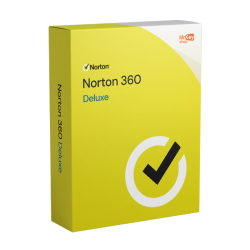
- Best all-rounder if you're paying: Norton 360 Deluxe at €24.99 - five devices, unlimited VPN, 50 GB cloud backup, password manager, parental controls.
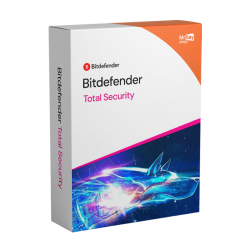
- Lightest touch on an older machine: Bitdefender Total Security or ESET NOD32. Both are known for staying out of the way.
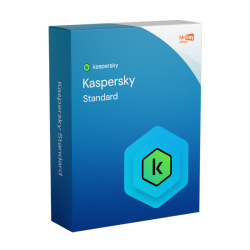
- Cheapest step up from Defender: Kaspersky Standard at €17.99, outside the US.
- One laptop plus a phone: Norton 360 Standard at €19.99 keeps the VPN and 10 GB of backup for less.
- US readers: Norton, Bitdefender, ESET, McAfee or Avast. Kaspersky is no longer sold to US consumers.
Is Microsoft Defender enough on its own?
Let's answer the "is windows defender enough" question properly, because most articles on this subject are written by people selling antivirus, and the honest answer is less dramatic than they'd like.
Microsoft Defender is good. It ships with Windows 11, turns itself on when no other security software is present, updates through Windows Update without you doing anything, and at the job of catching malware it holds its own. Microsoft has every commercial reason to make Windows look safe out of the box and has put real engineering behind that. Treating Defender as a placeholder you must replace is simply out of date.
It also has one advantage no third-party product can match: it is already there, correctly configured, with no licence to track and no renewal to forget. Plenty of real-world infections happen on machines where the paid antivirus expired months ago and nobody noticed. Defender never expires.
So where does it stop? Defender is an antivirus, not a security suite. Its scope is malware on the machine it's running on. It does not give you a VPN for public Wi-Fi, it does not back your files up anywhere, it does not store or generate your passwords, it does not watch for your email address turning up in a breach dump, its family controls are basic compared with a dedicated suite, and it does nothing at all for your Mac, your Android phone or your iPad. If the risks you actually worry about live in those gaps, Defender being excellent at malware doesn't help you.
There's a second, subtler limit. Modern attacks aim at the person more than the operating system: a fake invoice, a lookalike login page, a text about a parcel. Defender covers some of that ground through Windows and Edge, but paid suites invest more heavily in it, and across every browser you use.
Our honest position, heading into 2027: Defender is enough for a lot of Windows 11 users, and we'd rather say so than sell you something you won't use. For everyone else, pay for the gaps, not for the virus scanner.
Tip: Whatever you decide, uninstall any competing antivirus before installing a new suite. Two real-time scanners fight over the same files and the result is a slower PC with worse protection. Defender steps aside automatically when it detects another product, so you don't need to touch it.
What a paid suite actually adds
Here's the part worth paying for, feature by feature, with what each one is genuinely for.
An unlimited VPN. This is the single biggest reason to buy a suite in 2026, because a standalone VPN subscription often costs more per year than a whole security suite that includes one. Watch the fine print though: not every suite's VPN is unlimited, and a daily data cap is not a VPN you can live on.
Cloud backup. The only reliable answer to ransomware is a copy of your files the ransomware cannot reach. Norton is unusual in building this in - 50 GB on Deluxe, 10 GB on Standard - and documents, tax paperwork and family photos fit comfortably in that space.
A password manager. Password reuse is still how most ordinary accounts get taken over, and having a manager bundled means you'll actually use it rather than meaning to sign up for one.
Identity and dark-web monitoring. Breaches happen to companies you have no control over. Monitoring turns a problem you'd have found out about months later into one you can act on now.
Parental controls. Screen-time limits, content filtering and location features from one dashboard. If you have children with devices, this alone can justify a suite.
Cross-platform cover. Defender protects Windows. One suite licence typically covers your PC, a MacBook and everyone's phones - cheaper and far less hassle than protecting each device separately.
Heavier anti-phishing and anti-ransomware layers. Extra scam-link filtering, protected folders and browser hardening sit on top of the malware engine. This is the quiet, unglamorous value in a paid product.
One thing none of these suites needs to argue about is detection quality. Every vendor we stock scores at or near the top in independent lab testing from organisations such as AV-TEST and AV-Comparatives, and has done for years. When protection is effectively a tie, the engine isn't what you're choosing between - the feature list and the price are.
The contenders compared
Every suite below is one we stock as a prepaid activation key. Prices are our one-off key prices, not vendor renewal rates.
| Suite | Devices | VPN data | Cloud backup | Password manager | Notable extras | Platforms | Our price |
|---|---|---|---|---|---|---|---|
| Microsoft Defender | The PC it's on | ✗ None | ✗ None | ✗ None | Built in, always on, never expires | PC only | Free |
| Norton 360 Deluxe | 5 | ✓ Unlimited | ✓ 50 GB | ✓ Yes | Parental controls, dark-web monitoring | PC, Mac, Android, iOS | €24.99 |
| Norton 360 Standard | Fewer devices | ✓ Yes | ✓ 10 GB | ✓ Yes | Same core suite, smaller licence | PC, Mac, Android, iOS | €19.99 |
| Bitdefender Total Security | 5 | ✗ 200 MB/day | ✗ None | ✓ Yes | Very light system impact, EU vendor | PC, Mac, Android, iOS | €69.99 |
| Kaspersky Standard | Multi-device | ✗ None | ✗ None | ✗ None | Lean core protection, cheapest paid tier | PC, Mac, Android, iOS | €17.99 |
| Kaspersky Premium | Multi-device | ✓ Unlimited | ✗ None | ✓ Yes | Identity protection | PC, Mac, Android, iOS | €35.99 |
| ESET NOD32 Antivirus | Single-tier | ✗ None | ✗ None | ✗ None | Light, strong core protection | PC, Mac | €33.99 |
| McAfee Total Protection | Multi-device | ✓ Yes | ✗ None | ✓ Yes | Identity features | PC, Mac, Android, iOS | €19.99 |
| Avast Premium Security | Multi-device | ✗ Not included | ✗ None | ✗ None | Full paid suite features, familiar interface | PC, Mac, Android, iOS | €24.99 |
A few things fall out of that table. Norton 360 Deluxe is the outlier on value: the longest feature list at a low price. Bitdefender's 200 MB daily VPN cap is the detail people miss most often - fine for checking your bank on hotel Wi-Fi, useless for anything sustained. Kaspersky Standard and ESET NOD32 are deliberately narrow products: excellent protection, no bundle, and that's the point.
If you want a closer look at the three best-known names, our dedicated Norton vs Bitdefender vs Kaspersky comparison goes feature by feature. Gamers should read our guide to antivirus for gaming instead, where frame-time impact and game-mode behaviour matter more than backup space. The full range lives on our antivirus keys page.
Who should pay and who shouldn't
The "do i need antivirus windows 11" question has a different answer depending on who's asking. Here's how we'd split it.
Stay on Defender if:
- You have one Windows 11 PC, you keep it updated, and you're the only person using it.
- You install software from the Microsoft Store or known vendor sites, not from search-result download pages.
- You rarely use public Wi-Fi, or you only use it for things you don't mind being on an open network.
- Your important files are already backed up somewhere you'd actually recover from, and you don't want another subscription to track. That's a legitimate reason and we won't argue you out of it.
Buy a suite if:
- You're protecting a household rather than a machine - several people, several devices, mixed Windows, macOS, Android and iOS.
- Children use the devices and you want real parental controls rather than improvised ones.
- You'd otherwise pay for a VPN separately. Bundled, it's usually the cheapest way to get one.
- You have files whose loss would genuinely hurt and no backup worth the name. Norton's cloud backup fixes that in the same purchase.
- You or someone you help is a plausible phishing target, or you simply want vendor support to lean on when something looks wrong.
Notice that almost none of those reasons is "Defender won't catch the virus". That's the point. Pay for scope, not for the scanner.
Save 10%: Use coupon code KIWI10 at checkout for 10% off any antivirus key on KeyKiwi. It stacks on top of our already prepaid, no-auto-renewal pricing - so Norton 360 Deluxe comes in under €23.
The Kaspersky US situation, explained
This comes up in every antivirus discussion now, so here are the plain facts without the editorialising.
The United States banned the sale of Kaspersky software to US consumers from September 2024. If you're in the US, you cannot legally buy it and you should pick something else from the table above - that part is simple and we'd rather say so up front than let you buy a key you can't use.
Outside the US, nothing changed. Kaspersky remains legal, widely sold and fully supported in the EU and most other markets, and it keeps appearing in independent lab testing with the strong results it has posted for years. It is a normal purchase for a European buyer.
It's worth being clear about what the ban is and isn't. It is a government decision about where the software may be sold, taken on national-security grounds connected to the company's Russian origins. It is not an independent testing lab finding that the software protects you less well. Whether the geopolitics matters to you personally is a judgement only you can make, and reasonable buyers land on both sides of it.
Why prepaid codes beat auto-renewing subscriptions
If you do decide to pay, how you buy matters nearly as much as what you buy.
Retail antivirus is sold on a promotional first-year price with auto-renewal switched on by default. Year one looks cheap. Year two bills automatically at the standard rate, to the card the vendor already has, and plenty of people pay that for years without ever consciously deciding to.
A prepaid activation code inverts it. You pay once, at a fixed price, with no card left on file and nothing to renew. When the term ends, protection stops and you make a fresh decision - which in practice means buying whatever key is cheapest at that moment. That's how you keep paying first-year prices indefinitely instead of drifting into standard-rate renewals.
Two practical details. First, the subscription term starts when the code is activated, not when you buy it, so you can take a good price today and redeem it the week your current cover expires. Second, uninstall your old antivirus before you activate - not after - so the new suite installs into a clean machine.
The same logic applies well beyond security software, which is why our Autodesk and CAD keys are sold the same way: one price, no card on file, nothing renewing itself in the background.
The obvious question about cheap keys is whether they're legitimate, and it's a fair one. Ours are genuine EU-sourced licences with an activation guarantee, an invoice and human support. For the longer version, read are cheap software keys legit?.
One last piece of housekeeping: no suite can compensate for an unsupported operating system. If any machine in the house is still on Windows 10, sort that out first - our guide to Windows 10 end of support covers the options. Secure the foundation, then choose the best antivirus for Windows 11 to go on top of it.
Frequently asked questions
Do I need antivirus on Windows 11?
You need antivirus protection, and Windows 11 already has it. Microsoft Defender is built in, free, switched on by default and competent at core malware protection, so an unprotected Windows 11 PC is not really a thing any more. What you may still want is the layer Defender does not include: an unlimited VPN, cloud backup, a password manager, identity and dark-web monitoring, parental controls and protection for Macs and phones in the same subscription.
Is Windows Defender enough on its own in 2026?
For a careful user on a single, fully updated Windows 11 PC, Defender is genuinely enough. It handles the everyday malware you are most likely to meet and it costs nothing. It stops being enough when your situation gets more complicated: several people sharing devices, children online, a mix of Windows, macOS, Android and iOS, public Wi-Fi every week, or data you cannot afford to lose to ransomware. Those are the gaps a paid suite fills.
What is the best antivirus for Windows 11 if I have several devices?
Norton 360 Deluxe is the most complete multi-device option we stock. It covers 5 devices across PC, Mac, Android and iOS and includes an unlimited-data VPN, 50 GB of cloud backup, a password manager, parental controls and dark-web monitoring, for 24.99 euros as a prepaid activation key. Bitdefender Total Security also covers 5 devices across all four platforms and is the lighter choice on older hardware, but its VPN is capped at 200 MB per day unless you upgrade.
Can I buy Kaspersky if I live in the United States?
No. The United States banned the sale of Kaspersky software to US consumers from September 2024, so US readers should choose Norton, Bitdefender, ESET, McAfee or Avast instead. Kaspersky remains legal and widely sold in the EU and most other markets, where it is a normal, fully supported option. It is a regulatory decision about where the software can be sold, not an independent lab finding about how well it detects malware.
When does my antivirus subscription start if I buy an activation key?
The term starts when the code is activated, not when you buy it. Your key arrives by email within seconds of checkout and you can hold it until your current protection runs out. Two things to do before you redeem it: uninstall any competing antivirus first, because two real-time scanners on one machine cause conflicts and slowdowns, and cancel auto-renewal on any retail subscription you are replacing so it does not bill you again.
Written by the KeyKiwi team - we've been in digital software licensing for 18+ years. Every key we sell is a genuine EU-sourced licence, delivered by email in seconds with an invoice and our activation guarantee. Questions? Talk to a human.