Bitdefender vs Norton 360: Which Should You Actually Buy?
If you are weighing bitdefender vs norton in 2026, here is the short version: both protect you to a similar standard, so the decision is not really about malware detection at all. It comes down to two concrete things - how much VPN data you get, and whether you want cloud backup. Norton 360 Deluxe includes an unlimited-data VPN and 50 GB of cloud backup. Bitdefender Total Security includes a VPN capped at 200 MB per day and no cloud backup at all. That single pair of facts decides this comparison for most people.
Everything else is nuance, and we will go through it properly below: what independent labs actually say about both engines, how each suite feels on a working machine, what the feature lists look like side by side, and why a prepaid activation code usually costs you far less over three years than a vendor subscription that renews itself. No invented benchmark figures, no league tables we made up - just the differences you will notice after you install.
Quick verdict
If you want the answer and nothing else, match yourself to one of these lines:
- You want the most complete bundle: Norton 360 Deluxe at €24.99. Five devices, unlimited VPN, 50 GB cloud backup, password manager, parental controls and dark-web monitoring. Nothing else at this price covers as much ground.
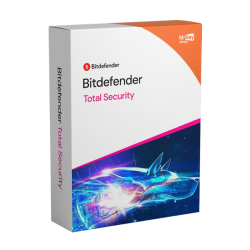
- You want excellent protection with the lightest touch: Bitdefender Total Security at €69.99. Five devices across Windows, macOS, Android and iOS, multi-layer ransomware protection with data restoration, anti-phishing, anti-tracker and microphone and webcam protection, all with very light system impact.
- You only have one or two devices and no kids: Norton 360 Standard at €19.99. Same unlimited VPN, 10 GB of backup instead of 50 GB, no parental controls, fewer device slots.
- You are protecting an older or low-spec PC: Bitdefender. Its light footprint is the whole point of the product and it shows most on hardware that has slowed down.
- You already pay for a separate VPN and a backup service: Bitdefender, and ignore the VPN cap entirely - you are not going to use it anyway.
That list resolves the question for the large majority of buyers. If you want to understand why, keep reading.
Protection quality: what the labs agree on
Let us deal with the question everyone asks first, because the answer is less dramatic than the marketing suggests. Independent testing organisations such as AV-TEST and AV-Comparatives put the major consumer security suites through the same malware samples on a regular schedule, and the pattern has been stable for years: the established vendors, Bitdefender and Norton very much included, land at or near the top of the protection rankings. Both are genuinely excellent at the core job.
We are not going to quote you a specific percentage or a particular month's scoreboard, because those numbers move between rounds and any single figure you see repeated on a comparison site is usually cherry-picked from whichever test flattered the product the author wanted to recommend. The honest summary is the one above: on detection, this is effectively a tie, and it has been a tie for a long time.
That changes how you should shop, and it is worth sitting with for a second. If two products catch essentially the same threats, paying more does not buy you a safer engine. It buys you features wrapped around the engine. So the useful question is not "which one catches more viruses" but "which extras will I actually open", and that is a question only you can answer about your own setup.
There is one protection-adjacent difference worth flagging. Bitdefender Total Security leans hard on its multi-layer ransomware protection, which includes data restoration - the ability to roll back files that a ransomware process started encrypting. Norton approaches the same risk from the other end, with 50 GB of cloud backup sitting off the machine entirely. Both are legitimate answers to the same problem; they are just different philosophies. Bitdefender tries to stop the damage on the device. Norton assumes the worst and keeps a copy somewhere else.
Tip: Whichever you pick, uninstall your existing antivirus before you install the new one. Two real-time scanners on the same machine fight over the same files, and the result is a slower PC with worse protection, not better.
The honest deciding factor: VPN data and cloud backup
This is the section that should decide your purchase, so we have put it before the big table rather than after it.
Bitdefender Total Security bundles a VPN, and a lot of buyers read that on the box and assume they are getting a full VPN service. They are not. The included VPN is capped at 200 MB per day. To be fair to it, 200 MB is a real amount of protection for a specific job: if you want to check your bank balance on airport Wi-Fi, log in to something sensitive from a hotel, or keep a short session private on a network you do not trust, that daily allowance covers it comfortably. What it will not do is stream anything, carry a video call, or sit on in the background all day while you browse. If you want that, Bitdefender sells an unlimited VPN upgrade separately, and once you add it the price comparison with Norton changes completely.
Norton takes the opposite approach. Both Norton 360 Deluxe and Norton 360 Standard include unlimited VPN data in the base subscription, with no daily cap to think about. If you travel, work from cafes, live somewhere with an ISP you would rather not hand your browsing history to, or simply want the thing switched on and forgotten about, that is a meaningful difference in what you are getting for your money.
Cloud backup is the second fork in the road, and it is cleaner still. Norton 360 Deluxe includes 50 GB of cloud backup on PC; Norton 360 Standard includes 10 GB. Bitdefender Total Security includes none. Fifty gigabytes is not going to hold a video library, but it will comfortably hold documents, tax records, work files and a decent photo archive - exactly the things you would be devastated to lose and exactly the things ransomware targets. If you have no other backup strategy, that is a real safety net that Bitdefender simply does not offer.
So the honest framing of bitdefender vs norton is this. You are not choosing between a safe product and a safer one. You are choosing whether a VPN with no data cap and an off-machine backup vault are worth having. If yes, Norton 360 Deluxe wins and it is not close. If you already pay for a VPN, already run a backup, or genuinely will not use either, Bitdefender gives you a leaner, quieter piece of software for your money.
Full feature comparison table
Here is the complete picture, including Norton's cheaper tier so you can see where the lines fall. Prices shown are KeyKiwi prepaid activation-key prices, not vendor renewal rates.
| Feature | Bitdefender Total Security | Norton 360 Deluxe | Norton 360 Standard |
|---|---|---|---|
| Devices covered | 5 | 5 | Fewer devices |
| VPN data | ✗ 200 MB/day cap | ✓ Unlimited | ✓ Unlimited |
| Cloud backup | ✗ None | ✓ 50 GB (PC) | ✓ 10 GB (PC) |
| Password manager | ✓ Yes | ✓ Yes | ✓ Yes |
| Parental controls | ✓ Yes | ✓ Yes | ✗ No |
| Identity monitoring | ✗ Not included | ✓ Dark-web monitoring | ✓ Dark-web monitoring |
| Ransomware protection | ✓ Multi-layer, with data restoration | ✓ Yes, plus cloud backup | ✓ Yes, plus cloud backup |
| Anti-phishing | ✓ Yes | ✓ Yes | ✓ Yes |
| Anti-tracker | ✓ Yes | ✓ Yes | ✓ Yes |
| Mic & webcam protection | ✓ Yes | ✓ Yes | ✓ Yes |
| Platforms | PC, Mac, Android, iOS | PC, Mac, Android, iOS | PC, Mac, Android, iOS |
| System impact | Very light | Moderate - more components installed | Moderate |
| Auto-renewal | ✓ None - prepaid code | ✓ None - prepaid code | ✓ None - prepaid code |
| Our price | €69.99 | €24.99 | €19.99 |
Read that bottom row again, because it is the single most surprising thing in this comparison. At KeyKiwi's prepaid prices, Norton 360 Deluxe is substantially cheaper than Bitdefender Total Security while carrying the longer feature list. That is not a permanent law of the universe - antivirus pricing moves around constantly, at every retailer and at the vendors themselves - but it is where things sit as of today, and it means the usual "you get what you pay for" reasoning does not apply here.
If your reaction to that is that Bitdefender must be better to justify the gap, go back and reread the protection section. Both engines are top-tier. Bitdefender's premium is buying you a lighter, tidier piece of software, not a stronger one.
System performance
Here is the part where we have to resist exaggerating, because the honest answer is undramatic: on a machine bought in the last five years or so, you are unlikely to notice either suite in normal use. Both idle quietly, both schedule heavy scanning for moments when you are not working, and the era of antivirus visibly dragging a healthy PC to a crawl is largely behind us.
That said, the difference is real at the margins, and it goes Bitdefender's way. Bitdefender built its reputation on pairing excellent protection with a very light system footprint, and it has kept that reputation because it is deserved. Norton is heavier on paper, and the reason is structural rather than sloppy engineering: when you bundle a VPN client, a backup agent, a password manager and identity monitoring into one product, that is simply more software running. The flip side of a fuller bundle is a bigger install.
Where does that actually matter? Three situations. First, genuinely old hardware - a seven-year-old laptop with a spinning hard drive will feel Norton's extra components in a way a current machine will not. Second, low-spec cheap laptops with 4 GB of RAM, where every background process is competing for scarce memory. Third, if you care about frame-time consistency while gaming, although both vendors ship a game or silent mode that suppresses scans and notifications during full-screen play - our guide to the best antivirus for gaming goes into that in more detail.
Outside those cases, performance should not be the deciding factor. Choose on what the suite gives you, not on a difference you will struggle to perceive.
Save 10%: Use coupon code KIWI10 at checkout for 10% off any antivirus key in our catalogue, including both suites in this comparison.
Price reality: prepaid codes vs auto-renewal
This is the part the vendors' own storefronts are least eager to explain, and it is worth more money to you than any feature in the table above.
When you buy a security suite directly from a vendor, the headline price is almost always an introductory rate for the first term, and auto-renewal is switched on by default. The card you paid with stays on file. When the term ends, the subscription renews itself at the standard rate, which is typically a good deal higher than what you paid to get in. The charge arrives quietly, usually by email receipt, and plenty of people pay it for several years in a row without ever going back to compare prices.
A prepaid activation code works differently in a way that matters. You pay once, at a fixed price - €24.99 for Norton 360 Deluxe, €19.99 for Norton 360 Standard, €69.99 for Bitdefender Total Security - and there is no card stored and nothing to renew. When the term runs out, protection stops and you make a deliberate decision about what to do next. In practice that usually means buying whichever key is best value at that moment, which is how you keep paying introductory-style prices year after year instead of standard renewal rates.
Two practical notes. First, your subscription clock starts when you activate the code, not when you buy it. You can pick up a key today and sit on it until your current protection lapses, which is useful if you have a few months left on something. Second, keys arrive by email within seconds of checkout and are covered by our activation guarantee, so there is no scenario where you are left holding a code that does not work.
Watch out: If you are moving away from a vendor subscription, turn off auto-renewal in your account before the renewal date. Cancelling renewal does not cut your current protection short - it only stops the automatic charge.
Who should buy which
Pulling the whole comparison together, here is our honest matchmaking for norton 360 vs bitdefender total security:
- Families and multi-device households: Norton 360 Deluxe. Five devices, parental controls, unlimited VPN for everyone's laptops and phones, and a 50 GB vault for the irreplaceable photos. At €24.99 it is also the cheaper product here, which makes it an easy call.
- Performance-sensitive users and older machines: Bitdefender Total Security. You give up unlimited VPN and cloud backup, but you get top-tier protection that genuinely stays out of the way, from a suite with a long track record of being light.
- One person, one laptop, one phone: Norton 360 Standard at €19.99. Unlimited VPN and 10 GB of backup, without paying for parental controls and device slots you will never use.
- Privacy-first buyers who will actually use a VPN daily: Norton, either tier. Bitdefender's 200 MB daily cap is not a VPN subscription and should not be treated as one.
- You already pay for a VPN and a backup service: Bitdefender. Nothing in Norton's bundle is adding value you do not already have, and Bitdefender's ransomware protection with data restoration is excellent on its own terms.
- You are not sure you need a paid suite at all: Microsoft Defender is built into Windows 11, free, always on and genuinely competent at core malware protection. What you buy with a paid suite is the layer around it - VPN, password manager, cloud backup, identity monitoring, parental controls and cover for your Mac, phone and tablet. Our guide to the best antivirus for Windows 11 works through that decision in full.
Still torn, or want a third option in the mix? Our wider Norton vs Bitdefender vs Kaspersky comparison adds a third contender, and if you are specifically looking to move away from Kaspersky, our guide to Kaspersky alternatives in 2026 covers every suite we stock. You can also just browse the full range of antivirus keys and compare prices directly.
Frequently asked questions
Which is better in 2026, Norton or Bitdefender?
Neither is clearly better at catching malware - both sit at or near the top of independent lab testing year after year. The difference is in the bundle. Norton 360 Deluxe includes an unlimited-data VPN, 50 GB of cloud backup, parental controls and dark-web monitoring. Bitdefender Total Security has a lighter system footprint and excellent ransomware protection, but its bundled VPN is capped at 200 MB per day and it has no cloud backup. Pick Norton for the extras, Bitdefender for the lighter touch.
Is the VPN in Bitdefender Total Security really limited?
Yes. The VPN bundled with Bitdefender Total Security is capped at 200 MB per day unless you buy an unlimited upgrade separately. That is enough to check your bank on hotel Wi-Fi or log in to something sensitive on a public network, but it will not cover streaming, video calls or a full day of browsing through the tunnel. Norton 360 Deluxe and Norton 360 Standard both include unlimited VPN data at no extra cost.
Does Bitdefender Total Security include cloud backup?
No. Bitdefender Total Security has no cloud backup component. It protects your files in place with multi-layer ransomware protection that includes data restoration, but there is no off-machine copy of your documents. Norton 360 Deluxe includes 50 GB of cloud backup for PC, and Norton 360 Standard includes 10 GB. If an off-site copy of your files matters to you, that is a genuine point of difference.
Will Norton 360 slow my PC down?
On any reasonably modern machine you are unlikely to notice it. Norton installs more components than Bitdefender because it bundles VPN, backup, password manager and identity tools into one suite, so it has a larger footprint on paper. Bitdefender has a long-standing reputation for very light system impact and is the safer pick for older or low-spec hardware. On a recent laptop or desktop, choose on features rather than performance.
Does my subscription start when I buy the key or when I activate it?
Your subscription term begins when the code is activated, not when you buy it. Keys from KeyKiwi arrive by email within seconds of checkout and you can hold one until your current protection lapses. Because these are prepaid activation codes, there is no auto-renewal and no card stored on file - when the term ends, you decide what to do next rather than being billed automatically.
Written by the KeyKiwi team - we've been in digital software licensing for 18+ years. Every key we sell is sourced from authorized channels and covered by our activation guarantee. Questions? Talk to a human.