Kaspersky Alternatives in 2026 (and Who Still Needs One)

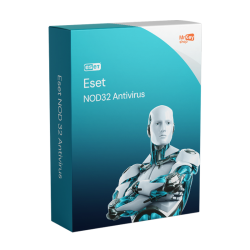
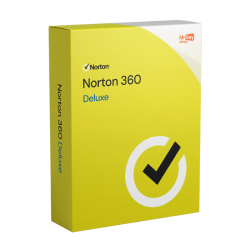
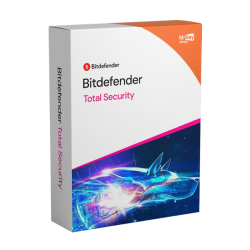
Looking for kaspersky alternatives in 2026? The best like-for-like replacements are Norton 360 Deluxe at €24.99 if you want the full bundle of VPN, backup and identity tools, Bitdefender Total Security at €69.99 if you want elite protection with a very light footprint, and ESET NOD32 Antivirus at €33.99 if you want lean, no-nonsense core protection. But before you spend anything, it is worth being clear about why you are switching, because a lot of people searching this phrase do not actually need to.
The short version of the situation: the United States banned the sale of Kaspersky software to US consumers from September 2024, and Kaspersky withdrew from the US market, with US customers migrated to another vendor's product. In the EU, the UK and most other markets, Kaspersky remains legal, available and widely used. Where you live therefore decides whether this is a requirement or a preference. This guide covers both cases, compares every alternative we stock, and shows you the cleanest way to move across without leaving a gap in your protection.
Why people are looking for an alternative
There are really three reasons this search gets typed, and they are not equally urgent.
The first is the US sales ban. From September 2024 the United States prohibited the sale of Kaspersky software to US consumers, and the company subsequently exited that market. Existing US users were migrated to another vendor's product. That is a government decision about the US market, and the important thing to understand is what it is not: it was not the result of an independent testing laboratory finding a defect in the software's protection quality. Kaspersky's products continue to be tested by the usual independent organisations and continue to perform strongly. We are not going to speculate about the reasoning beyond that, and we would encourage you to be sceptical of any comparison article that does.
The second reason is a personal preference about vendor origin. Some buyers simply prefer a security vendor headquartered in their own region, and there is no argument to have about that - it is a legitimate thing to care about, and if it is what you want, several of the options below fit. Bitdefender is a Romanian, EU-based company. ESET is Slovak. Avast and AVG are Czech in origin. Panda is Spanish. Norton and McAfee are US-based. Pick on that basis if it matters to you.
The third reason has nothing to do with geopolitics at all. Plenty of people arrive here because their Kaspersky term is ending, they are comparing prices, and they want to know what else is good. That is the healthiest reason to switch - or not to - and most of this guide is written for you.
Yes, we still sell Kaspersky
To be completely plain about it: KeyKiwi continues to stock and sell Kaspersky Standard, Kaspersky Plus and Kaspersky Premium, and we will keep doing so for customers in markets where the software is available. We are not quietly phasing it out and we are not telling you to drop it. The alternatives in this guide exist for people who prefer to switch, or who need to because of where they live - not because there is anything we are hinting at about the product. If Kaspersky suits you and you can buy it where you are, buying it again is a perfectly sensible choice.
Who genuinely needs to switch - and who does not
Let us separate the two groups properly, because the internet tends to blur them.
You do need an alternative if you are in the United States. Kaspersky software is not sold to US consumers and the company has left that market. If you are a US resident, the decision has been made for you and your realistic shortlist is Norton, Bitdefender, McAfee, ESET, Avast, AVG or Panda. Skip to the comparison table.
You may need an alternative if a policy applies to you. Some employers, clients, government bodies and institutions have their own rules about which security software may run on machines that touch their systems or data. If you use a personal laptop for work, check before you renew. This is a compliance question rather than a technical one, and your IT contact will have a definitive answer where we cannot.
You do not need to switch if you are in the EU, the UK or most other markets and nobody has told you otherwise. Kaspersky is legal, sold and fully supported in these regions. Its engine continues to be independently tested alongside every other major vendor and continues to perform at the level it always has. If your only reason for searching was a half-remembered headline, you can renew with a clear head.
You might want to switch anyway, and that is fine too. Preference is a good enough reason. So is price, so is a feature you want that Kaspersky does not bundle at your tier, and so is simply fancying a change. You do not owe anyone a justification for which antivirus you run.
Save 10%: Use coupon code KIWI10 at checkout for 10% off any antivirus key in this guide - including Kaspersky, if you decide to stay.
What to look for in a replacement
Before the table, here is how to read it. Five things actually differentiate consumer security suites in 2026, and detection rate is not one of them.
Protection is close to a tie, so stop shopping on it. Every vendor listed below scores at or near the top in independent lab testing from organisations like AV-TEST and AV-Comparatives. We are deliberately not quoting you a specific score, because any single figure is a snapshot of one test round and gets stale fast. Treat the core engines as equivalent and spend your attention elsewhere.
VPN data is the biggest hidden difference. "Includes VPN" on a box can mean unlimited data or it can mean a small daily allowance. Bitdefender Total Security, for example, caps its bundled VPN at 200 MB per day unless you buy an unlimited upgrade separately - fine for a quick banking session on hotel Wi-Fi, useless for streaming. Norton 360 Deluxe includes unlimited VPN data. If you intend to leave a VPN running, check this before anything else.
Cloud backup is rarer than you think. Among the suites here, Norton is the one that includes it - 50 GB on Deluxe, 10 GB on Standard, both on PC. If you have no backup strategy at all, that is a genuine ransomware safety net rather than a marketing bullet.
Device count and platform coverage decide family value. A suite covering five devices across Windows, macOS, Android and iOS is doing a very different job from a single-PC licence. Count the devices in your house honestly, including phones, before you choose a tier.
System impact matters most on older hardware. On a recent machine, you will struggle to feel the difference between any of these. On a seven-year-old laptop, you will - and that is where Bitdefender's famously light footprint and ESET's reputation for leanness earn their keep.
One more thing worth saying plainly: Microsoft Defender is built into Windows 11, it is free, it is always on, and it is genuinely competent at core malware protection. Nobody is unprotected on a modern, patched Windows machine. What a paid suite adds is the layer around the engine - VPN, password manager, cloud backup, identity monitoring, parental controls, and coverage for your Mac, tablet and phone. If none of those appeal, Defender plus good habits is a defensible choice, and our guide to the best antivirus for Windows 11 argues both sides.
The alternatives compared
Every suite below is in our catalogue today. Prices are KeyKiwi prepaid activation-key prices with no auto-renewal attached.
| Suite | Devices | VPN | Notable extras | Best for | Our price |
|---|---|---|---|---|---|
| Bitdefender Total Security | 5 | ✗ 200 MB/day cap | Multi-layer ransomware protection with data restoration, anti-phishing, anti-tracker, mic & webcam protection | Light system impact | €69.99 |
| Norton 360 Deluxe | 5 | ✓ Unlimited | 50 GB cloud backup (PC), password manager, parental controls, dark-web monitoring | The fullest bundle | €24.99 |
| Norton 360 Standard | Fewer devices | ✓ Unlimited | 10 GB cloud backup (PC), password manager, dark-web monitoring. No parental controls | Solo users | €19.99 |
| ESET NOD32 Antivirus | PC, Mac | ✗ Not included | Strong core protection, very light, long-standing favourite with technical users | Lean, no-frills setups | €33.99 |
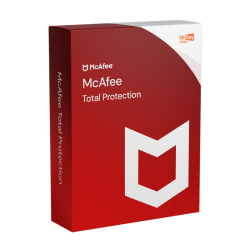
| McAfee Total Protection | Multi-device | ✓ Included | Identity features, multi-device cover across platforms | Households on a budget | €19.99 |
| Avast Premium Security | Multi-device | ✗ Sold separately | Full multi-device suite, shares its engine with AVG | Familiar, straightforward suite | €24.99 |
| AVG Ultimate | Multi-device | ✓ Included | Security plus tuning tools, shares its engine with Avast | Security and clean-up in one | €39.99 |
| Panda Dome Advanced | Multi-device | ✓ Included | Multi-device suite with the core protection set | Mid-tier all-rounder | €29.99 |
| Panda Dome Complete | Multi-device | ✓ Included | Everything in Advanced plus extra optimisation and cleanup tooling | Tidying up a cluttered PC | €36.99 |
Two observations before you scan the prices. First, Avast Premium Security and AVG Ultimate share an underlying engine, so choosing between them is really about the surrounding bundle and the interface you prefer rather than about protection. Second, the cheapest row in the table is not the weakest product - McAfee Total Protection at €19.99 covers multiple devices and includes VPN and identity features, which is a lot of suite for the money.
The closest swap for each Kaspersky tier
If you know which Kaspersky tier you are on, this is the fastest way to choose. The logic is simple: match what you currently get, not what sounds most impressive.
Coming from Kaspersky Standard (€17.99)? Standard is lean core protection - real-time antivirus, anti-ransomware, anti-phishing and a firewall, light on resources, no VPN or identity extras. The closest match in feel is ESET NOD32 Antivirus at €33.99: same philosophy, strong core engine, minimal weight, nothing bolted on that you did not ask for. If price matters more than philosophy, McAfee Total Protection at €19.99 is closer on cost and gives you more devices and extras than you had. And if you want to stay as light as possible on an older PC, Bitdefender Total Security is the strongest choice, at a considerably higher price.
Coming from Kaspersky Plus (€27.99)? Plus is Standard plus an unlimited VPN and a password manager. The obvious like-for-like is Norton 360 Standard at €19.99, which gives you unlimited VPN data and a password manager and throws in 10 GB of cloud backup and dark-web monitoring on top - for less than you were paying. If you need more device slots, step up to Norton 360 Deluxe at €24.99. Panda Dome Advanced at €29.99 is the alternative if you would rather not be with a US-based vendor.
Coming from Kaspersky Premium (€35.99)? Premium is the full stack - everything in Plus, plus identity protection and remote IT support. Norton 360 Deluxe at €24.99 is the closest shape available: unlimited VPN, 50 GB cloud backup, password manager, parental controls and dark-web monitoring across five devices on Windows, macOS, Android and iOS. Nothing else in the table bundles that much. If your priority inside Premium was the lightness and the protection rather than the add-ons, Bitdefender Total Security at €69.99 is the better fit, accepting the 200 MB daily VPN cap. And if you want the cleanup and optimisation tooling that premium tiers tend to include, Panda Dome Complete at €36.99 or AVG Ultimate at €39.99 both cover that ground.
How to switch cleanly
Switching antivirus goes wrong in exactly one way, and it is easy to avoid. Here is the order that works.
1. Buy the new key first. Keys arrive by email within seconds of checkout, so there is no waiting around. Do not start uninstalling anything until the code is sitting in your inbox.
2. Uninstall the old suite completely. On Windows 11, open Settings, go to Apps, find your current security product and remove it. Most vendors also publish a dedicated removal tool that clears out drivers and leftovers that the standard uninstaller can miss; if you have had the product for years, it is worth using. Restart the machine when prompted.
3. Do not skip step 2. This is the one rule that genuinely matters. Two real-time scanners on the same PC fight over the same files, which produces conflicts, slowdowns and in some cases worse protection than either product alone. Never install the replacement on top of a suite that is still active.
4. Let Defender cover the gap. The moment your old product is removed, Microsoft Defender switches itself back on automatically. Windows is not naked between uninstall and install, so you can take your time over the restart.
5. Install the new suite and activate your code. Download the installer from the vendor's own site, run it, and enter your activation key when prompted. Your subscription term begins at that moment - activation, not purchase - so if you still have weeks left on your old product there is no harm in holding the key until it lapses.
6. Cancel any auto-renewal you are leaving behind. If your previous suite came from a vendor subscription, log in and turn off automatic renewal so the card on file is not billed again. Cancelling renewal does not shorten your current protection, it only stops the next charge. Keys from KeyKiwi are prepaid codes - no renewal, no card stored, nothing to cancel later.
Watch out: Only download installers from the vendor's official website. Search results for antivirus downloads are a favourite target for fake installer pages, and your old suite is already switched off at that point in the process.

That is the whole process. Fifteen minutes, one restart, no gap in coverage.
If you want to dig further before deciding, our head-to-head on Bitdefender vs Norton 360 unpacks the two strongest options here in detail, and our three-way Norton vs Bitdefender vs Kaspersky comparison puts Kaspersky back in the frame if you are still weighing whether to stay. Gamers should read our best antivirus for gaming guide before committing, and you can always compare the full range of antivirus keys side by side.
Frequently asked questions
Is Kaspersky safe to use in 2026?
Kaspersky remains legal, available and widely used in the EU, the UK and most other markets, and it continues to appear among the strong performers in independent lab testing. The United States banned the sale of Kaspersky software to US consumers from September 2024, and the company withdrew from that market, with US users migrated to another vendor. Outside the US, whether you keep using it is a personal decision rather than a legal one.
Why was Kaspersky banned in the US?
The United States prohibited the sale of Kaspersky software to US consumers with effect from September 2024, and Kaspersky subsequently withdrew from the US market. Existing US customers were migrated to another vendor's product. The measure was a government decision about the US market. It was not the outcome of an independent testing lab finding a fault in the software's protection quality.
Do I need to switch away from Kaspersky if I live in the EU or UK?
No. Kaspersky is legal, sold and fully supported across the EU, the UK and most other markets, so there is no requirement to change. People in those regions switch for other reasons: a personal preference about where their security vendor is based, an employer or client policy, or simply because another suite bundles extras they want. If none of those apply to you, you do not need to do anything.
What is the closest alternative to Kaspersky Premium?
Norton 360 Deluxe is the closest like-for-like swap. Kaspersky Premium's draw is the full bundle - unlimited VPN, password manager, identity protection and support on top of the core engine - and Norton 360 Deluxe matches that shape with an unlimited-data VPN, 50 GB of cloud backup, a password manager, parental controls and dark-web monitoring across 5 devices. Bitdefender Total Security is the alternative if you care more about a light system footprint than about VPN data.
How do I switch antivirus without leaving my PC unprotected?
Buy and receive the new key first, then uninstall your old suite through Windows Settings, restart, and install the replacement straight away. Microsoft Defender turns itself back on automatically the moment the old product is removed, so Windows is never bare during the gap. Never install the new suite before removing the old one - two real-time scanners conflict with each other and leave you slower and less protected, not safer.
Written by the KeyKiwi team - we've been in digital software licensing for 18+ years. Every key we sell is sourced from authorized channels and covered by our activation guarantee. Questions? Talk to a human.