Office for Mac in 2026: Which Version Should You Buy?
- Quick verdict by user type
- What actually runs on macOS - and what does not
- Office 2021 for Mac: the honest warning
- Office 2024 for Mac
- Microsoft 365 on Mac
- Office for Mac compared, side by side
- Perpetual vs subscription: the three-year arithmetic
- Apple Silicon and Intel Macs
- Where to buy your Mac Office key
- Frequently asked questions
Deciding which Office version for Mac to buy in 2026 comes down to three real choices, and the short answer is this: buy Office 2024 Home & Business Bind for Mac and PC if you want to pay once and own the suite with support running to around October 2029, buy Microsoft 365 Personal if you want the cheapest way in with 1 TB of OneDrive and apps that stay current, and only consider Office 2021 Home & Business for Mac if the low price matters more than security updates - because Office 2021 went out of support on 13 October 2026 and receives none.
That covers nine out of ten Mac buyers. The rest of this guide explains why, what each version actually gives you on macOS, which Office apps simply do not exist on a Mac no matter what you pay, and what the three options cost once you do the arithmetic over a realistic ownership period rather than looking at the sticker price.
Quick verdict by user type
Find yourself in this list and you can stop reading if you want to.
- Student or home user, one Mac, documents and spreadsheets only. Microsoft 365 Personal at €41.99 a year is the easiest answer - current apps, 1 TB of cloud storage, and no large payment up front. If you hate subscriptions on principle, Office 2021 Home & Business for Mac is the cheap perpetual option, with the support caveat below.
- Freelancer or small business, invoices and client work. Office 2024 Home & Business Bind for Mac and PC. It includes Outlook, carries commercial use rights, and the one licence covers macOS as well as Windows, which is useful the day you end up with a PC too.
- Family with several Macs, iPads and phones. Microsoft 365 Family. Up to six people, each with their own 1 TB of OneDrive, for €136.99 a year. Per person it is the cheapest Office there is.
- You switch between a Mac and a Windows PC. The Bind for Mac and PC edition, or Microsoft 365 - both cover the two platforms without buying twice.
- You need Access or Publisher. Neither exists on macOS, and Publisher is discontinued everywhere. You need Windows for that, which is a different conversation entirely.
- Second-hand Mac that will mostly sit offline. Office 2021 Home & Business for Mac at €118.99 is defensible here, as long as you know what you are accepting.
What actually runs on macOS - and what does not
Microsoft has never shipped the same app list on both platforms, and the gap is permanent rather than something that gets closed in the next release. On a Mac you get Word, Excel, PowerPoint and OneNote in every edition, and Outlook in the Home & Business editions and in Microsoft 365.
What you do not get is Access. It is a Windows-only database application and it has never had a Mac version - it appears in Office 2024 Professional Plus, which is a Windows suite. There is no Mac edition that bundles it, and no amount of paying more changes that. If Access is central to how you work, your options are a Windows machine, a virtual machine on your Mac, or a remote Windows desktop.
Publisher is a shorter story. It was Windows-only as well, and it is now discontinued outright - it is not included in Office 2024 on any platform. If you have old Publisher files, deal with that before you commit to a new suite, because nothing in the current lineup opens them natively.
Beyond the app list, the Mac versions behave like proper Mac applications. They support Apple Silicon and Intel hardware, they work with Continuity and macOS sharing, and files move between Mac and Windows without translation problems in everyday use. Heavy Excel users should know that a handful of advanced Windows-only Excel features - certain add-ins and some data tooling - have no Mac equivalent, so if your workflow leans on a specific add-in, check it before switching platform rather than after.
Office 2021 for Mac: the honest warning
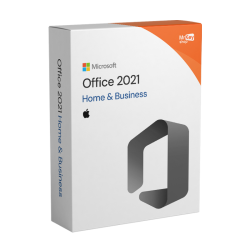
We sell Office 2021 Home & Business for Mac at €118.99 and plenty of people still buy it, so here is the straight version rather than the sales version.
Office 2021 reached end of support on 13 October 2026. That date has passed. Microsoft confirmed there would be no extension and no extended security updates programme of the kind Windows users were offered. The apps did not stop working and nothing was switched off - Word, Excel, PowerPoint and Outlook open exactly as they did before, your documents are untouched, and your licence is still valid. What stopped is security patches. Any flaw discovered from now on stays open on your machine indefinitely.
How much that matters depends entirely on what you do with the Mac. A spare machine used for writing and printing, rarely online, with no business email in Outlook? The risk is small and the price is genuinely good. Your main work Mac, with client documents, attachments arriving all day and Outlook connected to a business mailbox? That is a bad place to run an unpatched office suite, and the €131 you save against the 2024 bundle is not worth the exposure.
Office 2019 went out of support in October 2025 and Office 2016 is out as well, so if you were thinking of going even cheaper on an older perpetual release, the same reasoning applies only more so. We laid out the whole picture, including how to judge the risk for yourself, in our Office 2021 end of support guide.
The one thing not to do: buy Office 2021 for Mac expecting Microsoft to keep patching it because the apps still open fine. Working and supported are different things. Out of support means out of support, and it will not change retroactively.
Office 2024 for Mac
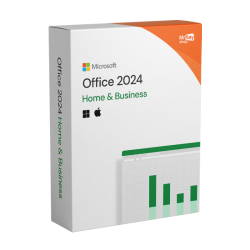
Office 2024 arrived in October 2024 as the current perpetual release - one payment, no renewal, yours to keep. On the Mac side the edition you want is Office 2024 Home & Business Bind for Mac and PC at €249.99, which covers macOS as well as Windows under its single licence.
You get Word, Excel, PowerPoint, OneNote and Outlook, plus commercial use rights, which matters if you are invoicing anyone. Support runs until around October 2029, so buying today you are looking at roughly three more years of security updates. That is the honest shape of a perpetual licence bought mid-cycle: you pay once, but the clock started in 2024, not on the day you ordered.
Two things Office 2024 deliberately does not have. There is no Copilot and no cloud AI features - it is an offline-first suite that receives security-only updates rather than new features. And there is no Publisher, because Publisher is gone. For a lot of people the absence of AI and monthly feature changes is exactly the point: the apps you learned stay the apps you learned, and nothing arrives uninvited. If you want the opposite of that, you want a subscription.
Worth noting for completeness: the other Office 2024 editions on our shelf - Home at €78.99, Home & Business at €88.99 and Professional Plus at €169.99 - are Windows editions. The Bind for Mac and PC edition is the one that covers macOS. If you already have Office 2024 installed on a PC and want it on a Mac too, read the install walkthrough in how to install and activate Office 2024 with a product key first, because the licence rules matter more than the mechanics.
Microsoft 365 on Mac
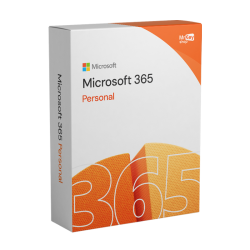
Microsoft 365 is the subscription route, and on a Mac it is the version that gets everything Microsoft adds. The apps stay always-current rather than frozen at a release, each user gets 1 TB of OneDrive storage, and the consumer Copilot AI features Microsoft added during 2025 are included. Personal covers one user at €41.99 a year. Family covers up to six users, each with their own 1 TB, at €136.99 a year.
A detail specific to how we sell it: our codes are prepaid 12-month licences, not card subscriptions. You redeem the code at setup.office.com on your own Microsoft account, it stacks on top of any time you already have, and it never auto-renews. When the twelve months are up, nothing is charged - you simply decide whether to buy another code. For anyone who dislikes subscriptions mainly because of the silent annual charge, that removes the part people actually object to.
Microsoft 365 is also the answer when one person uses several devices, because it is licensed per user rather than per machine. A Mac at home, a Windows laptop for work, an iPad and a phone are covered by one Personal licence, where perpetual Office would mean a key per computer. Whether the Family plan is worth stepping up to is a straight headcount question, and we worked through it in is Microsoft 365 Family worth it.
Office for Mac compared, side by side
Everything that matters for a Mac buyer, in one place. These are the three versions worth considering plus the Family plan, since per-person it changes the maths completely.
| Office 2021 H&B for Mac | Office 2024 H&B Bind Mac & PC | Microsoft 365 Personal | Microsoft 365 Family | |
|---|---|---|---|---|
| Core apps | Word, Excel, PowerPoint, OneNote | Word, Excel, PowerPoint, OneNote | Word, Excel, PowerPoint, OneNote | Word, Excel, PowerPoint, OneNote |
| Outlook | Yes | Yes | Yes | Yes |
| Access / Publisher | No - Windows only | No - Access is Windows only, Publisher discontinued | No | No |
| Commercial use rights | Yes | Yes | Consumer plan | Consumer plan |
| Updates | None - out of support | Security only | Always current, new features | Always current, new features |
| Support window | Ended 13 October 2026 | Around October 2029 | While subscribed | While subscribed |
| Copilot AI features | No | No | Yes | Yes |
| OneDrive storage | Not included | Not included | 1 TB | 1 TB per user |
| Users / devices | 1 Mac | 1 computer, Mac or PC | 1 user, multiple devices | Up to 6 users, multiple devices each |
| Payment | Once | Once | Prepaid 12 months | Prepaid 12 months |
| Our price | €118.99 | €249.99 | €41.99 / year | €136.99 / year |
Save 10% whichever you pick: use coupon code KIWI10 at checkout for 10% off. It applies across the Office range, including the Mac editions and both Microsoft 365 plans.
Perpetual vs subscription: the three-year arithmetic
Sticker prices mislead here, because one is a single payment and the others repeat. Three years is a fair window to compare over, partly because it is a realistic period to keep an office suite and partly because it is roughly how long Office 2024 has left in support. Using our own prices:
- Office 2024 Home & Business Bind for Mac and PC: €249.99 once. Over three years that is €249.99 in total, about €83 a year, and the apps keep working after that - just without security updates once support ends around October 2029.
- Microsoft 365 Personal: €41.99 a year, so €125.97 over three years. Half the cost of the perpetual bundle, and you also get 1 TB of OneDrive and the current apps throughout. Stop paying and the apps stop working.
- Microsoft 365 Family: €136.99 a year, so €410.97 over three years - but split across six users that is roughly €68 per person for the full three years, or under €23 per person per year. Nothing else comes close per head.
- Office 2021 Home & Business for Mac: €118.99 once, €118.99 over three years. The cheapest number on the page, and the only one with no security updates behind it at all.
So the subscription is cheaper for one user over three years - €125.97 against €249.99 - and that gap only closes slowly. Microsoft 365 Personal passes the price of the perpetual bundle in year six. If you are the sort of person who ran Office 2013 until last year, perpetual genuinely wins on money. If you replace your Mac every three or four years and like having the current apps, it does not.
Three other things belong in the decision and are not captured by the arithmetic. The 1 TB of OneDrive per user has real value if you are otherwise paying for cloud storage. Per-user licensing covers all your devices, where perpetual covers one machine. And the perpetual licence is yours permanently - no annual decision, no dependency on a shop still existing in three years. For the broader version of this argument across all three generations, see Office 2024 vs Office 2021 vs Microsoft 365.
Apple Silicon and Intel Macs
This used to be the first question Mac buyers asked, and it has largely stopped being a problem. Current Office versions support both Apple Silicon Macs - the M-series chips - and the older Intel machines, so the apps run natively on an M1, M2, M3 or newer Mac rather than through translation. Microsoft 365 on Mac is the same. Performance on Apple Silicon is good, and you do not need to pick a special edition or a different download.
The requirement that does still catch people out is the macOS version. Each Office edition states a minimum macOS it supports, and an older Mac stuck on an older macOS may fall outside it - which is a problem no key can solve. Before you buy, check two things: which macOS your Mac is running, found under the Apple menu and About This Mac, and the stated macOS requirement for the edition you are looking at. If your Mac is several years old and cannot update past a certain macOS, confirm compatibility first.
The other practical note is that older perpetual releases age worse than subscriptions on this front. Microsoft 365 follows new macOS versions as they arrive; a perpetual release supports what it supported when its support window was set. One more reason that, on a Mac you intend to keep updating for years, the subscription has a quieter life.
Where to buy your Mac Office key
Whichever version you land on, the thing that decides whether it goes smoothly is where the licence came from. A genuine key activates directly with Microsoft and stays activated. Grey-market keys frequently activate once and then fail weeks later, and prepaid Microsoft 365 codes bought from dubious sources often turn out to be already redeemed - at which point there is nobody to ask.
Every Office licence we sell is genuine stock sourced through authorised EU channels. The key and the official download link reach your inbox within seconds of ordering, you get a proper invoice, and our activation guarantee means that if a key does not activate we fix it or refund you in full. Microsoft 365 codes are prepaid twelve-month licences you redeem on your own Microsoft account at setup.office.com, so they stack on any time you already have and never charge you again by surprise.
Browse the whole range on our Microsoft Office keys page. If you also run a Windows machine and want the step-by-step for getting the suite installed and licensed there, our Office 2024 activation guide covers it from download to the File and Account check. And if you want to be sure a cheap key is the real thing before you spend anything, read are cheap software keys legit.
Frequently asked questions
Which Office version is best for a Mac in 2026?
For most Mac users buying today it is either Office 2024 Home and Business Bind for Mac and PC, if you want to pay once and own the software, or Microsoft 365 Personal, if you want the cheapest way in plus 1 TB of OneDrive and the current apps. Office 2021 for Mac is the budget option but it went out of support on 13 October 2026, so it receives no further security updates.
Does Office 2024 run on Apple Silicon Macs?
Yes. Current Office releases support both Apple Silicon Macs - M-series chips - and the older Intel Macs, so an M1, M2, M3 or later machine runs the apps natively. Microsoft 365 on Mac is the same. Always check the stated macOS version requirement for the edition you are buying, because that is the requirement most likely to catch out an older Mac.
Can I get Access or Publisher on a Mac?
No. Access has always been Windows-only and has never shipped in a Mac edition of Office. Publisher is Windows-only too, and it is now discontinued entirely - it is not part of Office 2024 on any platform. If you genuinely need Access, the practical routes are a Windows PC, a Windows virtual machine or a remote Windows desktop.
Is Office 2021 for Mac still safe to buy?
The apps still work and your documents are unaffected, but Office 2021 reached end of support on 13 October 2026. Microsoft confirmed there is no extension and no extended security updates programme, so any vulnerability found from now on stays unpatched. It is a reasonable buy for a secondary Mac or light offline use at the price, and a poor choice as the main suite on a machine handling work email and client files.
Is Microsoft 365 cheaper than buying Office outright for Mac?
Over three years, yes, if one person needs it. Microsoft 365 Personal at 41.99 euro a year comes to 125.97 euro over three years against 249.99 euro once for Office 2024 Home and Business Bind for Mac and PC. The perpetual licence wins if you keep it longer than about six years, and Microsoft 365 Family at 136.99 euro a year works out at roughly 68 euro per person over three years when all six places are used.
Written by the KeyKiwi team - we've been in digital software licensing for 18+ years. Every key we sell is sourced from authorized channels and covered by our activation guarantee. Questions? Talk to a human.